Zenkit Review 2026: Flexible Project Management & Collaboration Suite
Imagine your team is juggling three different apps just to get one project done. You use one for tasks, another for notes, and a third for spreadsheets. Data gets lost, and everyone feels overwhelmed by the constant switching.
Zenkit aims to end this chaos by offering a unified “Suite” of tools that talk to each other. It is a digital workspace that adapts to how you think, rather than forcing you to follow a rigid system. Whether you are a small business owner or a teacher, this platform wants to be your single source of truth.
In this Zenkit review, we will cover features, pricing, pros, cons, and alternatives. We will help you decide if this German-engineered productivity powerhouse is the right fit for your workflow in 2026.
Quick Verdict — “Tiny Tool Take”
Zenkit is a highly flexible productivity suite that bridges the gap between simple task lists and complex relational databases. It excels in data visualization and cross-tool integration, making it a dream for users who need multiple ways to view the same information.
Who this is for: Creative teams needing visual workflows, educators managing curricula, and small businesses looking for an Airtable alternative with better task management.
Who it is NOT for: Solo users who want a “set it and forget it” simple to-do list or teams that rely heavily on advanced native video markup tools.
Rating: 4.6/5 ⭐⭐⭐⭐⭐
Key Features
The core strength of Zenkit lies in its versatility. It does not just provide a list of tasks; it provides a framework for managing any kind of data.
Multi-Product Suite Integration
Zenkit is no longer just one app. It is a collection of specialized tools including Zenkit Base, Projects, Hypernotes, ZenForms, and Zenchat.
The brilliance of this setup is that all these apps share the same data platform. If you update a due date in the “To Do” app, it immediately reflects in your “Projects” Gantt chart. This prevents data silos and ensures that every team member sees the most current information regardless of which app they prefer.
Dynamic View Switching
One of the most praised aspects of any Zenkit review is the ability to flip between views instantly. You can start a project in a Mind Map to brainstorm ideas with your team.
With one click, those same ideas transform into a Kanban board for execution or a Table for data analysis. It also offers a Calendar view for scheduling and a Gantt chart for tracking complex dependencies. This flexibility ensures that every person on your team can work in the way that makes them most productive.
Relational Database Capabilities
Zenkit allows you to link different collections together, much like a relational database. You can connect a “Clients” collection to a “Projects” collection and a “Tasks” collection.
This means you can click on a client’s name and immediately see every task and project associated with them. It eliminates the need to search through multiple folders or spreadsheets to find related information. For small businesses, this functionality can replace a dedicated CRM or complex ERP system.
Global Search and Kanban
As your business grows, finding information across dozens of projects becomes difficult. Zenkit solves this with a powerful Global Search that scans every collection and app in your suite.
Furthermore, the Global Kanban feature allows you to see tasks from every single project on one unified board. You can filter these views by “Assigned to Me” or “Due Today” to get a bird’s-eye view of your entire workload. It is a lifesaver for managers who need to track progress across multiple departments.
Advanced Reporting and Analytics
Data is only useful if you can understand it. Zenkit offers over 720 combinations of reports to help you visualize project health and team performance.
You can create charts that show task completion rates, resource allocation, or budget spending over time. These reports are updated in real-time as your team works. This level of insight helps educators track student progress or creative leads manage their team’s capacity effectively.
Ease of Use
Zenkit features a clean, modern interface that avoids the “gray wall of text” look common in older database tools. The dashboard is minimalist, putting your most-used collections front and center.
The setup process is straightforward. You can start with a pre-built template for CRM, project management, or lesson planning. If you are moving from another tool, Zenkit offers easy importers for Trello, Asana, and Wunderlist.
However, there is a slight learning curve when you first explore the “Suite” concept. Understanding how Zenkit Base interacts with Zenkit Projects takes a bit of time. Once you grasp the logic of “Items” and “Collections,” the platform becomes very intuitive.
Performance & Reliability
In our testing, Zenkit proved to be highly stable. The synchronization between the web app, desktop client, and mobile versions is nearly instantaneous. This is critical for remote teams who need to stay in sync.
The platform also offers a robust offline mode. You can continue working on your projects without an internet connection, and the app will sync your changes as soon as you are back online. This feature is a major advantage for educators or professionals who travel frequently.
The mobile apps for iOS and Android are functional and well-designed. While they lack some of the advanced administrative features of the desktop version, they are perfect for checking tasks on the go.
Pricing & Plans
Zenkit offers a tiered pricing model that scales with your team’s needs. They are well-known for having a very generous free version that is actually usable for small teams.
| Plan | Price (Monthly/User) | Best For | Key Features |
| Personal | $0 | Individuals & Small Teams | 3 projects, 500 MB storage, 1,000 items per collection. |
| Plus | $9 | Growing Businesses | Unlimited projects, 5 GB storage, 5,000 items per collection. |
| Business | $25 | Larger Organizations | 20 GB storage, 50,000 items, Custom fields, Advanced Gantt. |
| Enterprise | Custom | Large Corporations | SSO (SAML), SCIM Provisioning, Dedicated support. |
The Plus Plan is generally considered the best value for small businesses. It unlocks the unlimited projects and larger item limits needed for serious professional work.
Pros and Cons
Every tool has its trade-offs. Here is a direct look at what works and what doesn’t.
✅ Pros
- Extreme flexibility with multiple views (Kanban, Mind Map, Gantt).
- Deep integration between different apps in the Zenkit Suite.
- Strong focus on data security with GDPR-compliant servers in Germany.
- Excellent relational database features for linking complex data.
- Generous free tier for teams of up to 5 people.
❌ Cons
- The initial learning curve can be steep for non-technical users.
- Mobile app lacks the full power of the desktop experience.
- Large teams might find the Business plan pricing adds up quickly.
- Limited native integrations compared to older competitors.
Customer Support
Zenkit provides solid support options, though the level of service depends on your plan. All users have access to an extensive Knowledge Base filled with video tutorials and step-by-step guides.
Email support is available for all tiers and is generally responsive, usually getting back to users within one business day. For those on the Business or Enterprise plans, Zenkit offers priority support and phone consultations. The support team is based in Germany, which is helpful for users who need assistance during European business hours.
Top Alternatives
If Zenkit doesn’t feel right for your workflow, there are several strong competitors to consider.
Airtable
Airtable is the primary rival when it comes to relational databases. It has a more polished interface and a larger library of third-party integrations. However, Zenkit offers more native views (like Mind Maps) and better task management features in its free tier.
Notion
Notion is a great choice if your focus is more on documentation and wikis. It excels at blending notes with simple databases. Zenkit is a better choice if you need more structured project management tools like Gantt charts and dedicated reporting.
Coda
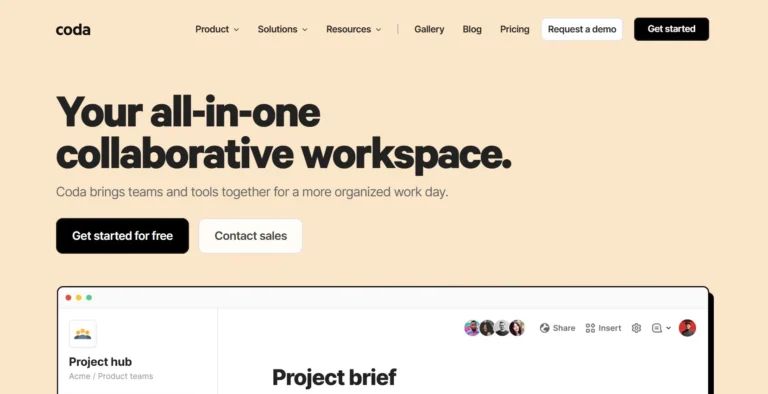
Coda is a powerful “doc that acts like an app” platform. It allows for high levels of automation and custom formula building. It is more complex to set up than Zenkit but offers more flexibility for those who want to build custom internal tools from scratch.
Conclusion
Zenkit is a powerful and adaptable workspace that successfully bridges the gap between different types of productivity software. By offering a suite of interconnected apps, it provides a level of data consistency that few other tools can match. It is particularly impressive for its visual variety, allowing you to see your work as a list one minute and a mind map the next.
For small businesses, educators, and creative teams, it offers a secure and scalable way to manage complex information. If you are tired of your data being scattered across dozens of different apps, Zenkit is a solution worth exploring. It might take a week to fully master, but the resulting clarity for your team is well worth the effort.
Frequently Asked Questions
Yes, Zenkit offers a Personal plan that is free forever. It supports up to 5 users and allows you to create up to 3 projects with 1,000 items each.
Trello is focused almost entirely on Kanban boards. Zenkit includes Kanban boards but also offers Gantt charts, Mind Maps, Tables, and Calendars, making it much more versatile for complex projects.
Yes, Zenkit is highly secure. It is based in Germany and is fully GDPR compliant, with all data stored on secure European servers.
Yes, Zenkit has a robust offline mode for its desktop and mobile apps. You can edit your data without an internet connection, and it will sync once you are back online.
Yes, Zenkit provides a 50% discount for qualifying educational institutions, teachers, and students. You can contact their support team to apply for the discount.