
Taskade Review (2026): Is This AI Workspace Right for You?
Imagine this: You have an idea for a custom client portal or an internal dashboard. You are not a developer. You have to wait weeks or pay thousands for a custom solution, which delays everything. This is a common pain point for freelancers, startups, and small agencies. They need custom workflow tools but lack the coding skills or budget.
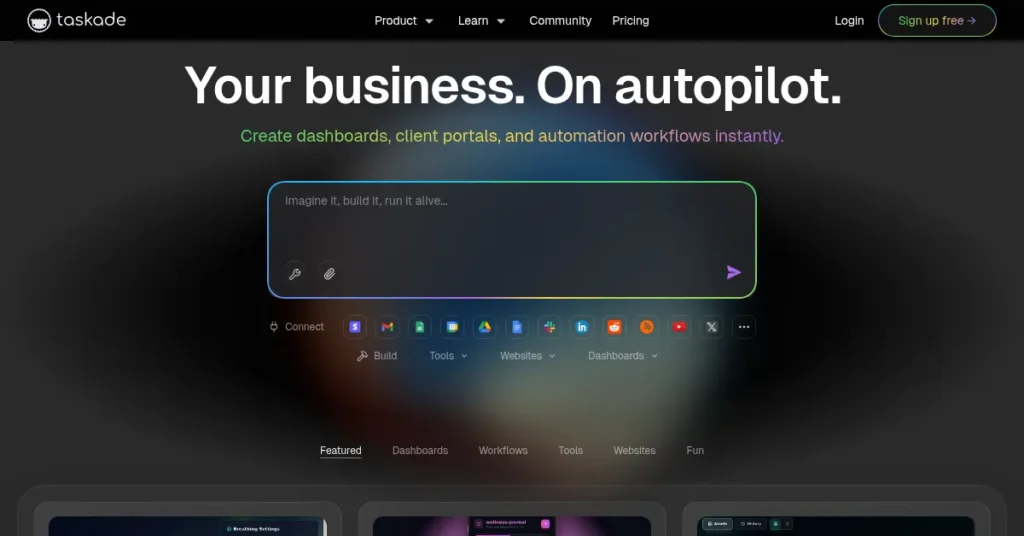
Taskade solves this problem by turning a simple prompt into a live, collaborative workspace. It combines the flexibility of a project manager with powerful AI-driven app and agent creation. It’s an all-in-one hub for task management, real-time collaboration, and no-code automation. Taskade pitches itself as the “AI workspace that turns ideas into working apps with one prompt.”
In this Taskade Review, we will cover features, pricing, pros, cons, and alternatives. We will help you decide if it is the right tool to streamline your work.
Quick Verdict — “Tiny Tool Take”
Taskade has shifted from a simple task manager to a genuine AI Productivity & Workflow Tool. Its “Genesis” AI App Builder and Agents are revolutionary for non-coders wanting custom internal tools. It offers exceptional value for money compared to competitors, especially given its focus on unlimited AI usage. It is a fantastic option for builders and teams who need a flexible, powerful AI assistant built directly into their project management.
Who this is for: Freelancers, solo creators, and small, agile teams focused on content, automation, or building custom internal tools without writing code.
Who it is NOT for: Large enterprise organizations needing rigid, advanced reporting, or users who prioritize deep, complex databases over AI-driven simplicity.
Tiny Tool Rating: 4.7/5 Stars ⭐⭐⭐⭐⭐
Key Features
Taskade’s core strength lies in its blend of flexible project views and cutting-edge AI automation. The recent focus on its Genesis platform differentiates it heavily from older competitors. It offers features far beyond typical task management.
AI Agents & Automation
Taskade allows you to deploy custom AI Agents within your workspace. These agents can be trained on your own data. They act as specialists for customer support, content drafting, or data analysis.
The automation feature uses these agents to create powerful workflows. You can set triggers and actions, like turning a new email into a categorized task list. This is much more than a simple chatbot; it is a true, customizable worker built directly into your projects.
Genesis App Builder
This is Taskade’s biggest differentiator in the market. The Genesis App Builder lets users describe an application in plain language. For example, “a client-facing project tracker with a white label domain.”
Taskade then instantly generates a functional workspace. This includes pre-configured agents and necessary automations, all from a single prompt. It is a powerful no-code solution for creating custom dashboards or client portals fast. This feature is a game-changer for “builders” without coding skills.
Flexible Project Views
The tool allows users to switch between multiple project visualization styles instantly. You can move from a simple List view to a Kanban Board, a Mind Map, an Org Chart, a Table, a Calendar, or a Gantt Chart. This flexibility is key for adapting to different project stages.
You don’t have to migrate data between separate tools to change your perspective. Use the Mind Map for brainstorming and the Gantt Chart for execution, all within one project.
Built-in Real-Time Collaboration
Taskade provides chat, video conferencing, and screen sharing directly within the project workspace. Teams can discuss, plan, and execute work without jumping to an external tool like Slack or Zoom. This contextual communication keeps all conversations tethered to the relevant task or project. It is perfect for remote and distributed teams needing a single source of truth.
Ease of Use
Taskade strikes a strong balance between advanced features and a clean, intuitive interface. The learning curve is surprisingly gentle for the amount of power it offers. It helps users adopt complex workflows quickly.
Dashboard Clarity
The interface is visually appealing and designed to be uncluttered. The left-hand navigation is consistent, making it easy to jump between your workspaces, tasks, and calendars. It prioritizes a minimalist approach that helps users focus on their actual work.
Setup Process
Getting started is rapid and requires minimal effort. You can create an account and immediately start a project from scratch. Alternatively, use one of the hundreds of community-contributed templates.
The AI Project Studio can also generate a complete project plan. This includes tasks and outlines, based on a simple prompt. New users can thus bypass the typical setup friction entirely.
Learning Curve
Basic task management in Taskade is immediately simple. However, mastering the advanced AI Agents and Genesis App Builder requires some exploration. Taskade provides extensive documentation and tutorials to guide you. The initial difficulty comes from the sheer breadth of features, not the complexity of the design itself. Users who embrace the AI features early will find the learning curve significantly flatter.
Performance & Reliability
In the 2025 landscape, speed and stability are non-negotiable requirements. Taskade performs well, particularly in real-time collaborative environments. It is built for agility.
Speed
The platform is generally fast and highly responsive. Real-time syncing across all devices (web, desktop, and mobile apps) is seamless. Switching between the different project views is instant.
Some users report a slight slowdown when uploading extremely large files. Managing massive data-heavy projects can occasionally test its limits. However, for its core function of task and workflow management, it is exceptionally quick.
Stability
Taskade is continuously updated, and the development team is highly engaged. The core project management functionality is reliable and robust. Data is secure, with end-to-end encryption providing peace of mind. Overall stability for daily use is high, which is essential for remote teams.
Output Quality
The output quality from the AI features is generally excellent. The AI Agents, when properly trained on proprietary data, produce highly relevant and actionable results. The Genesis App Builder generates functional, structured workspaces immediately. This strong focus on AI means Taskade’s output feels smarter than a typical legacy project manager.
Pricing & Plans
Taskade offers a clear, tiered pricing structure. This structure is highly competitive, especially considering the extensive AI functionality provided. All plans include the core AI features and unlimited project views.
| Plan Name | Monthly Price (Billed Monthly) | Key Features and Limits | Best For |
| Free | $0 | 1 user, 1 workspace. 1,000 monthly credits. Deploy 3 AI apps. Private and secure. | Individuals, students, or users testing the platform’s core features. |
| Pro | **$16/user/month** (Up to 5 users) | 50,000 monthly credits. Unlimited AI apps, agents, and automations. All 100+ integrations. Train agents with your data. | Freelancers, solo creators, and small teams prioritizing AI and automation. (Best Value) |
| Business | $40/user/month (Unlimited users) | 150,000 monthly credits. Everything in Pro, plus: Custom domains, white label and branding, advanced analytics. | Agencies, mid-sized teams, and businesses needing client-facing portals and brand control. |
| Enterprise | Custom | Custom limits. Custom AI deployment. SSO, SAML, and dedicated support/SLA. | Large enterprises with strict security, compliance, and custom infrastructure needs. |
The Pro Plan stands out as the undisputed best value. For $16 per user per month, you get unlimited AI agents, unlimited automations, and a substantial credit allowance. This makes it an incredibly strong choice for “builders” who need powerful, frequent AI assistance to automate their business workflows. The inclusion of unlimited AI apps and agents for up to five users is a massive selling point.
Pros and Cons
Taskade’s aggressive feature roll-out around AI provides significant advantages. However, like any tool, it still has a few trade-offs that users should consider.
✅ Pros
- AI-Centric Design: AI Agents and the Genesis App Builder are revolutionary for non-coders.
- Exceptional Value: The Pro plan offers unlimited core AI functions at a very low price point.
- Ultimate Flexibility: Instant switching between List, Board, Mind Map, Table, and Calendar views.
- Built-in Collaboration: Native chat and video calling eliminate the need for third-party communication tools.
- Active Development: The team rapidly pushes updates and new features, constantly improving the product.
❌ Cons
- Overwhelming at First: The sheer number of powerful features can feel cluttered to brand-new users.
- Limited Reporting: Lacks some of the deep, traditional reporting tools found in enterprise PM software.
- Steep Jumps: The feature jump between the Free and Pro/Business plans is substantial, especially for the AI credit limits.
- Mobile UI Complexity: The advanced features can be slightly less intuitive and harder to manage on the mobile interface.
Customer Support
Taskade is known for a highly responsive and engaged support team. They are proactive in addressing user feedback and rolling out fixes quickly. This direct line of communication is a major benefit.
Contact Methods
The main support channels include email, an extensive Help Center/FAQ, and a community forum. Users frequently mention the team’s visible presence in their community. This shows a genuine commitment to incorporating user feedback.
Speed and Quality of Help
Reviewers often praise the development team for being fast and direct. They are quick to implement user-requested features or fix bugs. While some technical issues may take longer, the overall quality of support is high. It is driven by the team’s philosophy of continuous improvement.
Top Alternatives
While Taskade has forged its own niche with the AI App Builder, it still competes with established tools in the general productivity space. Understanding its competitors helps frame its unique value.
- Notion: This is the most direct competitor for users who want a flexible “all-in-one” workspace. Notion excels at complex databases and documentation building. Taskade, however, beats Notion on pure AI-driven project management and the ease of creating functional apps from a simple prompt.
- Asana: A traditional, mature project management tool. Asana is excellent for large, complex team projects that require rigid structure and advanced reporting. Taskade is more flexible, visually appealing, and much better for fast, non-coder “building” and automation.
- Trello: The go-to for simple Kanban board enthusiasts. Trello is easier to learn initially but lacks Taskade’s comprehensive multi-views, native communication, and deep AI automation capabilities. Taskade offers a superior, more scalable long-term productivity solution.
Conclusion
Taskade is no longer just another task manager. With the launch of its Genesis AI platform, it has become one of the most powerful, value-packed AI Productivity & Workflow Tools on the market. It is genuinely changing the no-code landscape.
For freelancers, solo creators, and small teams that want to build custom dashboards, client portals, or powerful internal automations, Taskade is an unparalleled choice. The unlimited AI agents on the Pro plan make the Taskade pricing extremely compelling. If your team is nimble and values flexibility, AI assistance, and an all-in-one approach to projects, Taskade is absolutely worth it. It’s a tool that grows with your ideas, literally turning concepts into functional software instantly.
Frequently Asked Questions (FAQ)
Taskade is generally better suited for small to mid-sized teams and agencies. While the Enterprise plan offers custom solutions, larger companies often need the rigid, deep reporting found in traditional PM software.
The Pro plan offers unlimited AI apps, agents, and automations. It operates on a credit system (50,000 monthly credits) which governs the total volume of high-usage AI outputs. For most small teams, this credit allowance is highly generous.
It depends on your primary need. Taskade is better for AI-driven workflows, real-time collaboration, and flexible project views. Notion is stronger for building deep, interconnected knowledge bases and complex relational databases.
Yes, Taskade offers a robust Free plan. It is limited to 1 user and 1 workspace, and includes 1,000 monthly AI credits. This allows users to fully test the core features before committing to a paid plan.
Yes. Taskade states they offer a private and secure workspace with end-to-end encryption. They adhere to industry-standard security and compliance protocols to protect your sensitive data.