SocialBee Review 2026: Evergreen Content Automation for Agencies
Managing social media for multiple clients quickly turns into a chaotic nightmare of messy spreadsheets and missed alarms. You spend hours manually crafting posts for every single platform, only to watch your reach completely flatline. By the time Friday rolls around, you are completely burned out and entirely out of fresh content ideas.
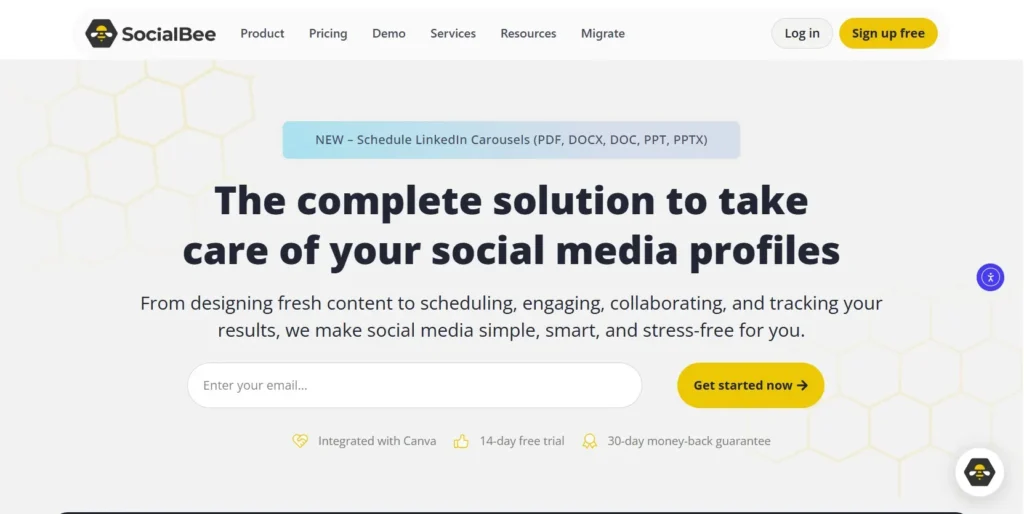
Relying on a manual publishing schedule is a guaranteed way to kill your creative momentum. SocialBee fixes this massive bottleneck by introducing smart, category-based automation directly into your publishing workflow. It allows marketing agencies and busy founders to easily organize, recycle, and AI-generate their social feeds from one centralized dashboard.
In this SocialBee review, we will cover features, pricing, pros, cons, and alternatives.
Quick Verdict — “Tiny Tool Take”
SocialBee is a top-tier choice for marketing agencies and founders who manage heavy social media traffic. Its ability to categorize content and automatically recycle evergreen posts gives it a massive edge in maintaining consistent online visibility.
Who this is for: Digital marketing agencies, freelancers, and solopreneurs who need robust scheduling without high enterprise costs.
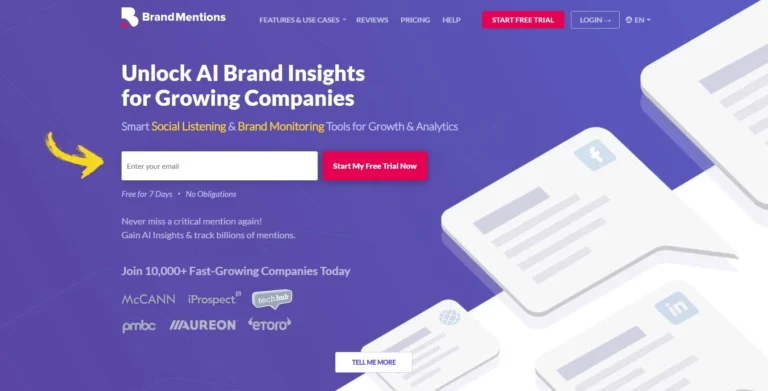
Who it is NOT for: Users who only care about live community management or those who need deep social listening and brand monitoring.
Rating: 4.8/5 ⭐⭐⭐⭐⭐
SocialBee Review: Key Features
Category-Based Scheduling
Most basic scheduling tools force you to pick a specific date and time for every single post you create. This linear approach is incredibly tedious and makes it difficult to ensure a balanced mix of content. SocialBee fundamentally changes this workflow with its brilliant category-based scheduling system.
You start by creating specific content buckets, such as motivational quotes, blog promotions, or product spotlights. You then tell the calendar to publish a post from your “quotes” category every Tuesday morning. This system ensures your social feeds maintain a healthy variety without requiring micromanagement.
Evergreen Content Recycling
Creating high-quality content takes a massive amount of time and creative energy. It is incredibly frustrating when a brilliant post gets buried in the feed after just a few hours. SocialBee solves this by automatically recycling your absolute best evergreen content on an endless loop.
Once a post from your evergreen category is published, it gets sent directly to the back of the queue. Weeks or months later, the software will automatically republish it to catch the audience members who missed it initially. You can easily set expiration dates on specific posts so time-sensitive holiday promotions never accidentally repeat.
AI Copilot and Post Generator
Staring at a blank text box trying to write an engaging caption is a daily struggle for social media managers. SocialBee completely eliminates this writer’s block with its integrated AI Copilot tool. You simply type in a short prompt, and the AI generates dozens of customized captions instantly.
The AI is smart enough to tailor the tone and format specifically for the network you are targeting. It automatically adds relevant hashtags and perfectly spaces out the text for maximum readability. This integrated assistant drastically reduces the time it takes to fill up your monthly content calendar.
Unified Social Inbox
Publishing great content is only half the battle when building a highly engaged online community. You must actively respond to the people who take the time to comment on your posts. SocialBee includes a unified social inbox that pulls all of your notifications into one perfectly organized screen.
You can easily reply to Facebook comments, Instagram mentions, and LinkedIn messages without ever switching browser tabs. The inbox allows you to assign specific conversations to other team members to ensure nothing slips through the cracks. It completely centralizes your brand’s customer service operations in a highly efficient way.
Advanced Analytics and Client Reporting
Proving the actual return on investment of a social media campaign is often the hardest part of agency life. SocialBee provides a deep analytics dashboard that tracks your exact audience growth and post engagement over time. You can instantly see which specific content categories are driving the absolute most clicks.
For agencies, the platform features an incredible automated PDF reporting tool. You can generate beautiful, white-labeled performance reports customized with your client’s exact brand logo. This ensures you always look incredibly professional when presenting your monthly results to stakeholders.
Ease of Use
When you first log into SocialBee, the sheer number of available features can feel slightly intimidating. The dashboard is undeniably denser than minimalist tools like Buffer or standard native publishing apps. However, the interface is logically organized, with a clear navigation menu strictly dividing your workspaces, content, and analytics.
The initial onboarding sequence is exceptionally well-designed for new users. A step-by-step wizard guides you perfectly through connecting your various social media profiles and creating your first content categories. The platform also offers an optional concierge onboarding service where an expert manually sets up your initial workflow.
The learning curve mostly revolves around mastering the category-based scheduling system. Wrapping your head around content buckets versus standard calendar dates takes a few days of active practice. Once it finally clicks, you will realize it is a vastly superior way to manage long-term social strategy.
Adding new content to your queues is incredibly frictionless and intuitive. The browser extension allows you to instantly save and schedule interesting articles you find while reading the news. Overall, it rewards a small upfront learning investment with massive long-term time savings.
Performance & Reliability
Speed is an absolute necessity when you are trying to bulk-upload a month of content in a single afternoon. SocialBee operates entirely in the cloud and handles massive data uploads without any noticeable system lag. Generating AI captions and rendering visual previews happens almost instantaneously on the screen.
Stability is heavily dependent on the official API connections of the major social media networks. SocialBee maintains incredibly strong integrations with Facebook, X, LinkedIn, Instagram, TikTok, Pinterest, and Google Business Profile. The software rarely disconnects, meaning your scheduled posts will reliably go live exactly when planned.
If a specific network does temporarily change its API rules, the platform alerts you immediately via a dashboard notification. This proactive approach prevents your carefully planned campaigns from silently failing in the background. You are never left wondering if your posts actually made it to the public timeline.
The output quality of the AI generated text is generally very good, though it occasionally requires minor editing. The system sometimes defaults to overly enthusiastic marketing jargon if your prompt lacks specific context. However, it still provides an excellent first draft that saves you hours of manual copywriting.
Pricing & Plans
Is SocialBee pricing actually competitive compared to legacy enterprise tools? Absolutely. The platform utilizes a highly flexible subscription model designed to scale alongside your business or marketing agency. Paying for an annual subscription upfront will secure a significant discount across all available tiers.
Here is a breakdown of the primary subscription options.
| Plan Name | Monthly Price | Key Features Included | Best For |
| Bootstrap | $29 | 1 workspace, 5 social profiles, 1 user, category scheduling | Solo founders and independent creators |
| Accelerate | $49 | 1 workspace, 10 social profiles, 1 user, advanced analytics | Small businesses with a heavy social presence |
| Pro | $99 | 5 workspaces, 25 social profiles, 3 users, unified inbox | Growing marketing agencies and freelance teams |
The Bootstrap plan is a fantastic entry point for solo creators trying to escape manual posting. It unlocks the core category scheduling and evergreen recycling features at a highly affordable price. However, you are strictly limited to one user and a smaller number of connected social profiles.
The Accelerate plan is perfectly positioned for dedicated small business owners. It doubles your available social profiles and unlocks much deeper audience analytics. This tier provides everything a dedicated in-house marketing manager needs to succeed.
The Pro plan provides the absolute best value for marketing agencies managing multiple clients. It unlocks separate workspaces, allowing you to keep different brand accounts perfectly organized and isolated. You also gain access to the unified social inbox and the ability to invite external client reviewers.
Pros and Cons
✅ Pros
- Category-based scheduling perfectly balances your feed with a variety of content types.
- The evergreen recycling feature ensures your absolute best posts are seen by new followers.
- Deep integration with Canva allows you to design graphics directly inside the post editor.
- The unified social inbox drastically speeds up your daily community management tasks.
- Automated PDF reporting makes presenting monthly metrics to agency clients incredibly easy.
❌ Cons
- The category system has a steeper initial learning curve than traditional calendar tools.
- The lowest pricing tier does not include access to the unified social inbox feature.
- It lacks a comprehensive social listening tool for tracking unlinked brand mentions across the web.
- Generating massive amounts of AI content requires purchasing additional premium word credits.
Customer Support
SocialBee is widely praised in the marketing industry for its exceptional approach to customer support. You can reach their technical team quickly via an integrated live chat widget or through direct email tickets. The representatives are highly knowledgeable and clearly understand the complex nuances of social media APIs.
During regular business hours, the live chat response times are incredibly fast. You are not forced to argue with an automated bot; you are quickly connected to a real human. They routinely help users troubleshoot failed posts or fix minor billing discrepancies within minutes.
For those who prefer a self-serve approach, the platform hosts a massive knowledge base. It is packed with detailed video tutorials, step-by-step feature guides, and best practice webinars. The team also actively updates a public product roadmap, proving they genuinely listen to user feedback.
Top Alternatives
Buffer
Buffer is one of the most recognized names in the entire social media management industry. It offers a beautiful, minimalist interface that requires absolutely zero training to master immediately. However, it lacks the advanced evergreen recycling and category-based scheduling that makes SocialBee so powerful.
Hootsuite
Hootsuite is a massive, enterprise-grade powerhouse designed for massive corporate marketing teams. It offers deep social listening, extensive custom app integrations, and complex multi-level approval workflows. It is significantly more expensive than SocialBee and its interface often feels quite cluttered to solo users.
Missinglettr
Missinglettr is a highly specialized tool built specifically for bloggers and content marketers. It automatically scans your published articles and turns them into year-long social media drip campaigns. While it dominates blog promotion, it lacks the unified inbox and general multi-network scheduling features found in SocialBee.
Conclusion
SocialBee is a remarkably powerful tool that completely changes how you approach your daily social media workflow. By shifting the focus from individual calendar dates to dynamic content categories, it forces you to build a smarter strategy. It acts as an untiring virtual assistant that keeps your feeds full while you focus on actual business growth.
Is SocialBee good enough to justify switching from your current scheduling platform? If you are tired of watching your hard work disappear into the feed after one post, the answer is yes. The evergreen recycling feature alone will dramatically increase your total organic reach and website traffic.
If you are ready to finally put your social media marketing on absolute autopilot, it is time to upgrade.
Frequently Asked Questions
Yes, but it requires a slightly different mindset. The step-by-step onboarding wizard makes the initial setup process incredibly easy for beginners. However, understanding how to properly bucket your content into distinct categories does require a few days of learning.
Yes, it fully supports direct, automated publishing to Instagram Business and Creator accounts. You can automatically schedule single images, carousels, and Instagram Reels without needing a mobile companion app. It even allows you to automatically publish the crucial first comment containing your hashtags.
Buffer relies on a traditional, linear queue where you schedule posts for specific calendar dates. SocialBee uses a category-based system where you schedule time slots for specific types of content, like quotes or links. SocialBee also automatically recycles your evergreen posts, which Buffer does not natively do.
Absolutely. The Pro plan and above are built specifically for marketing agencies managing multiple brands. You can create entirely separate workspaces for each client, ensuring their content, connected accounts, and user permissions remain strictly isolated.
Yes, the pricing plans offer incredible value for the sheer amount of automation provided. The ability to automatically recycle old content essentially acts as a free traffic generator for your website. The time you save not having to manually rewrite daily posts easily justifies the monthly cost.