Shoprocket Review (2026): The Easiest Way to Sell on Existing Websites?
Do you already have a website that you love? Maybe you built it on WordPress, Webflow, or even custom HTML.
But now, you want to sell products.
Usually, this is a headache. You might think you have to rebuild everything on a dedicated platform like Shopify. Or perhaps you have to struggle with complex plugins like WooCommerce.
Enter Shoprocket.
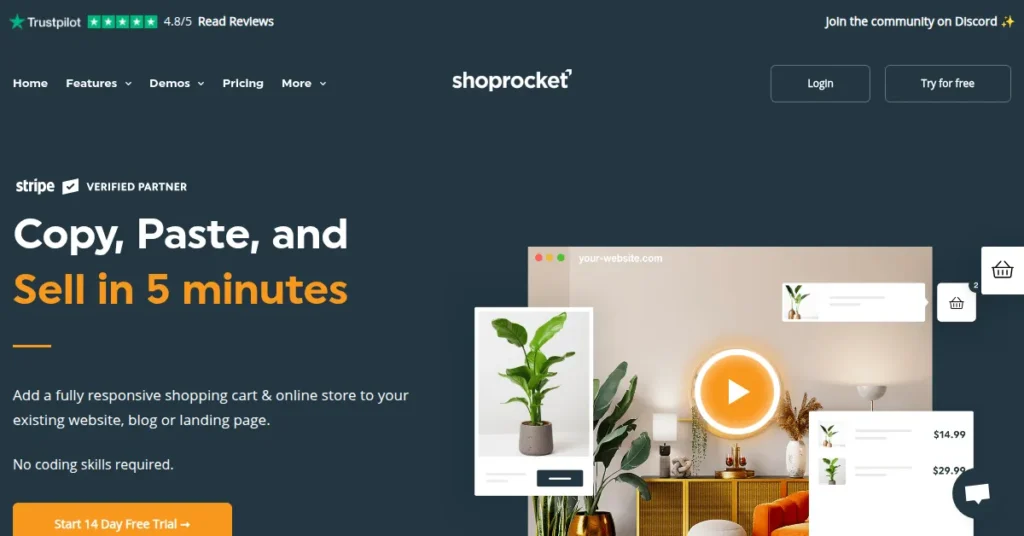
Shoprocket promises to let you “copy, paste, and sell” in just 5 minutes. It allows you to add a fully functional store to your existing website without writing a single line of code.
In this detailed Shoprocket review, we will test their claims. We’ll look at the features, the pricing (specifically those 0% fees), and whether it’s the right tool for your business.
Quick Verdict (The “Tiny Tool” Take)
Bottom Line:
Shoprocket is a game-changer for anyone who wants to add a store to a website they already own. It is incredibly fast to set up and offers 0% transaction fees on all plans.
Who is it for? Bloggers, creators, and small businesses who already have a website and want to start selling immediately.
Who is it NOT for? Large enterprises needing complex custom ERP integrations or people who want to build a website from scratch (though Shoprocket does offer a basic hosted storefront).
Tiny Tool Rating: ⭐⭐⭐⭐⭐ (4.8/5)
Key Features
What makes Shoprocket stand out in a crowded market? Here are the main features we loved.
Embed Anywhere (The “Copy & Paste” Magic)
This is the core feature. You don’t need to migrate your website. You simply copy a snippet of code and paste it into your existing site.
It works on:
- WordPress
- Wix & Squarespace
- Webflow
- Custom HTML/CSS sites
- Social Media & Landing Pages
0% Transaction Fees
Most platforms take a cut of your sales. Shopify, for example, charges extra transaction fees if you don’t use their payment processor.
Shoprocket charges 0% transaction fees on all plans. You only pay the standard processing fee to your payment gateway (like Stripe or PayPal). This saves you a lot of money as you scale.
Global Payment Gateways
You can accept payments from almost anywhere. Shoprocket supports 45+ payment methods.
This includes major players like:
- Stripe
- PayPal
- Authorize.net
- Verifone
- Crypto and offline payments
Unlimited Everything
Unlike some tools that punish you for growing, Shoprocket is generous. Even on the lower tiers, they promise:
- Unlimited Products
- Unlimited Sales
- Unlimited Team Members
Ease of Use / User Experience
Is it really possible to set this up in 5 minutes?
Yes.
The dashboard is clean and modern. You don’t need to be a developer to figure it out. You simply upload your product images, set a price, and grab the embed code.
Real users agree with this. One user on Trustpilot, Robert, mentioned he added ecommerce to his static “SvelteKit” site easily. Another user, Dan, called it “incredibly easy to use.”
If you can copy and paste text, you can use Shoprocket.
Pricing and Plans
Shoprocket offers a transparent pricing model. The biggest selling point is that no matter which plan you choose, you pay 0% transaction fees.
Here is how the plans compare:
| Plan | Price (Monthly) | Transaction Fees | Products | Best For |
| Starter | $29 / mo | 0% | Unlimited | Side hustles & new stores |
| Business | $79 / mo | 0% | Unlimited | Growing businesses |
| Plus | $199 / mo | 0% | Unlimited | High-volume sellers |
Note: You can save roughly 17% if you choose to pay yearly.
All plans include unlimited bandwidth, storage, and access to their 24/7 support. The higher tiers generally unlock more advanced white-glove support and priority processing.
Pros and Cons
To keep this Shoprocket review honest, here are the good and the bad points.
✅ The Pros
- Simplicity: Easiest way to monetize an existing blog or site.
- Cost-Effective: Zero transaction fees put more money in your pocket.
- Support: Trustpilot reviews consistently mention helpful support staff (specifically “Ryan”) who go above and beyond.
- Flexibility: Sell digital goods, physical products, or services.
- Fast: It doesn’t bloat your website code.
❌ The Cons
- Design Limits: Since it embeds into your site, the checkout styling is somewhat standard (though customizable with CSS).
- Not a Site Builder: If you don’t have a website at all yet, you might prefer an all-in-one builder like Shopify or Wix (though Shoprocket does provide a hosted storefront URL).
Customer Support
Customer support is often where software companies fail, but Shoprocket excels here.
They offer 24/7 support.
On Trustpilot, they hold a 4.8 out of 5 score. Multiple reviews highlight that the support is “among the best I’ve come across anywhere.”
Users report that the team helps with custom snippets and implementation, which is rare for a SaaS company.
Top Alternatives
If you aren’t sure if Shoprocket is right for you, consider these alternatives:
- Ecwid: A very similar tool that also embeds into existing sites. It has a free plan, but Shoprocket’s interface is often considered more modern.
- Shopify: The industry giant. Better if you want to build a massive store from scratch, but much more expensive/complex if you just want to add a cart to a blog.
- WooCommerce: The default for WordPress. It is free but requires heavy maintenance, updates, and hosting management.
Conclusion
Is Shoprocket the best ecommerce solution for you?
If you already have a website and you simply want to start selling without rebuilding everything, Shoprocket is excellent.
It removes the technical barrier to entry. The 0% transaction fee policy is a breath of fresh air in an industry that loves to nickel-and-dime users.
It delivers exactly what it promises: a fast, responsive shopping cart that just works.
Frequently Asked Questions (FAQ)
No. Shoprocket charges 0% transaction fees on all plans. You only pay the standard fees to your payment provider (like Stripe).
No. If you can copy and paste, you can use Shoprocket. It is designed for non-technical users.
Yes. You can sell digital downloads, physical goods, and services (like consultancy) using Shoprocket.
Yes. It works perfectly on WordPress, but also on non-WordPress sites like plain HTML, Wix, or Webflow.
Yes. All sensitive payment data is handled by secure gateways like Stripe and PayPal. Shoprocket provides a secure environment for your checkout.