
Refiner Review 2026: In-App Surveys Built for SaaS Growth
You launch a major feature update for your SaaS product and wait for the praise to pour in. Instead, you hear nothing but silence, and your churn rate slowly begins to creep up. You blast out a massive ten-page email survey to figure out why, but only three people actually bother to fill it out.
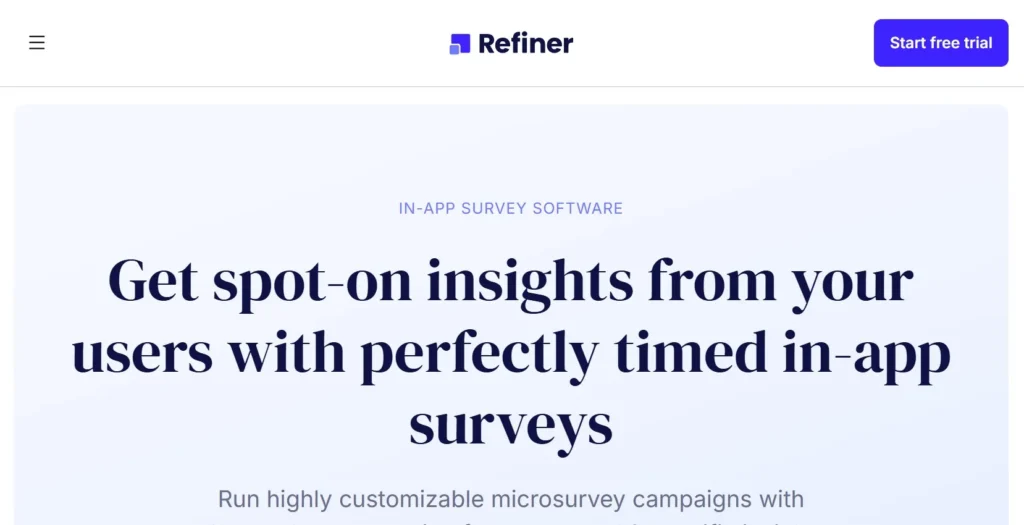
Generic, long-form surveys sent via email simply do not work for modern software users. Refiner solves this massive problem by putting beautiful, hyper-targeted microsurveys directly inside your application. It allows product managers and marketers to ask the right user the exact right question at the perfect moment.
In this Refiner review, we will cover features, pricing, pros, cons, and alternatives.
Quick Verdict — “Tiny Tool Take”
Refiner is a top-tier choice for SaaS companies and product teams who need high-response, contextual feedback directly inside their web or mobile apps. Its ability to trigger beautiful, on-brand microsurveys based on precise user behavior gives it a massive edge in product research.
Who this is for: Product managers, customer success teams, and SaaS founders who want to track NPS and feature adoption without annoying their active users.
Who it is NOT for: Casual bloggers, e-commerce stores, or businesses looking to build massive, multi-page generic questionnaires.
Rating: 4.8/5 ⭐⭐⭐⭐⭐
Key Features
Interactive In-App Microsurveys
Traditional surveys take users out of their natural workflow, severely tanking your completion rates. Refiner fixes this by embedding sleek microsurveys right inside your web or mobile application. The widget slides in seamlessly, allowing users to answer a question with a single click.
You can customize the appearance completely to match your brand guidelines. Colors, fonts, and widget placement can all be tweaked so the survey feels native to your software. This frictionless experience drastically increases your overall response rate.
Advanced User Segmentation
Asking a brand new user to rate a complex enterprise feature makes absolutely no sense. Refiner excels at advanced segmentation, ensuring you only target the most relevant cohorts. You can pull user traits and behaviors directly from your database or CRM.
This means you can trigger a survey specifically for power users who log in daily. Alternatively, you can target users who just downgraded their subscription to ask them why. This context-driven approach yields infinitely more valuable data.
Branching and Logic Jumps
Nobody wants to answer questions that do not actually apply to their specific situation. Refiner includes powerful logic jumps that adapt the survey based on previous answers. If a user gives your product a low Net Promoter Score, the next question can ask them what went wrong.
If they give a high score, the logic jump can seamlessly ask them for a public review instead. This dynamic branching keeps the survey short, highly relevant, and engaging. It completely eliminates survey fatigue for your customer base.
AI Response Tagging
Reading through thousands of open-ended text responses is a mind-numbing task for any product team. Refiner utilizes artificial intelligence to automatically tag and categorize these written responses. The AI instantly detects themes, feature requests, and negative sentiment.
You can instantly pull up a dashboard showing exactly how many users complained about a specific bug. This automated analysis saves hours of manual data entry and spreadsheet sorting. It helps you prioritize your product roadmap based on hard data.
Deep SaaS Integrations
Customer feedback is useless if it lives in an isolated silo. Refiner is built to push survey data directly into the tools your team already uses every day. It features native, two-way integrations with platforms like Segment, Mixpanel, and HubSpot.
When a user submits a survey, that data instantly syncs to their customer profile in your CRM. You can even use tools like Zapier to trigger automated Slack alerts when a negative review comes in. This interconnected setup turns raw feedback into immediate, actionable tasks.
Ease of Use
Logging into Refiner for the first time is a surprisingly pleasant experience. The dashboard is clean, modern, and completely stripped of unnecessary clutter. The main navigation easily directs you to your active campaigns, user segments, and integration settings.
Setting up your first campaign takes only a few minutes thanks to an impressive library of templates. You can instantly load pre-built frameworks for NPS, CSAT, Customer Effort Score, and Product-Market Fit. The visual builder lets you preview exactly how the widget will look on different devices.
The learning curve mostly depends on how deeply you want to integrate the tool. Designing a survey is incredibly simple for anyone who has ever used a basic web form builder. However, configuring behavioral triggers via their API requires some technical knowledge.
Fortunately, implementing the basic tracking snippet on your website is straightforward. Your developers can usually get the core installation running in under thirty minutes. Once the code is live, your marketing team can launch and manage surveys entirely without engineering help.
Performance & Reliability
When injecting a third-party script into your SaaS application, speed is a major concern. You never want a survey widget to slow down your core product experience. Refiner is built with lightweight code that loads asynchronously in the background.
This ensures your application remains lightning-fast, even when rendering complex survey logic. Stability is also rock-solid, with the widget consistently appearing exactly when triggered. The platform handles high-traffic environments effortlessly without dropping survey responses.
The output quality of the dashboard analytics is exceptional. Data visualizations render immediately, allowing you to track NPS trends over specific time periods. You never have to wait for clunky reports to generate.
The AI tagging feature is generally highly accurate at identifying user sentiment. While occasionally requiring minor manual adjustments for niche industry jargon, it is incredibly reliable. Overall, Refiner feels like a premium, enterprise-grade piece of software.
Pricing & Plans
Refiner uses a transparent pricing model based on your Monthly Active Users (MAU). It does not punish you for collecting more data, as all paid plans include unlimited survey responses. You can test the platform thoroughly using their generous free trial before committing.
Here is a quick breakdown of their primary subscription options.
| Plan Name | Monthly Price | Key Features Included | Best For |
| Essentials | $99 | Unlimited responses, 5,000 MAU, core survey features | Early-stage SaaS startups |
| Growth | $239 | 10,000 MAU, event tracking, advanced integrations | Growing software companies |
| Enterprise | Custom | Volume discounts, dedicated success manager, custom security | Large-scale applications |
The Essentials plan is a fantastic entry point for new software companies. It provides full access to the visual builder and all major survey types. You can comfortably run essential product-market fit and NPS campaigns at this tier.
The Growth plan is where Refiner truly flexes its muscles for scaling businesses. It unlocks advanced event tracking, allowing for highly complex behavioral triggers. You also gain access to deep product analytics integrations like Mixpanel and Amplitude.
The Enterprise tier is reserved for massive applications with hundreds of thousands of active users. It provides custom data retention policies, advanced security protocols, and priority technical support. You will need to contact their sales team directly for a tailored quote.
Pros and Cons
✅ Pros
- In-app microsurveys consistently generate significantly higher response rates than generic email links.
- The design customization is incredible, allowing widgets to look completely native to your app.
- Advanced targeting ensures you only bother users who meet highly specific criteria.
- Built-in AI automatically reads and tags open-ended text responses for quick analysis.
- Deep integrations seamlessly push feedback into your CRM and product analytics tools.
❌ Cons
- The starting price is higher than many basic, generic form builders.
- Installing the mobile app SDK requires dedicated developer time and technical resources.
- It is not designed for creating massive, multi-page complex questionnaires.
- There is no built-in email marketing tool for managing large cold outreach campaigns.
Customer Support
Refiner provides a highly responsive customer support experience for all of its users. You can reach their technical team directly through an in-app chat widget or via email. The support staff is known for being incredibly knowledgeable about complex API and integration setups.
Response times are typically very fast during standard business hours. You are rarely handed off to an unhelpful automated bot; instead, you speak with real product experts. This high level of service is crucial when dealing with deeply integrated software.
The company also maintains an extensive and well-organized knowledge base. It is packed with detailed developer documentation, API references, and best practice guides. You can easily find step-by-step instructions for connecting Refiner to almost any third-party tool.
Top Alternatives
Qualaroo
Qualaroo is one of the oldest and most well-known website feedback tools on the market. It offers a solid proprietary nudge technology for asking questions on specific landing pages. However, Refiner offers vastly superior design customization and much deeper integrations for modern SaaS companies.
Sprig
Sprig is a powerful product research platform that includes session replays and prototype testing alongside surveys. It is an excellent choice if you need an all-in-one UX research suite. However, Sprig gets incredibly expensive very quickly, making Refiner a much more cost-effective choice for pure survey needs.
Survicate
Survicate is a versatile feedback tool that works exceptionally well across email, web, and mobile. It is generally easier to set up for non-technical teams who do not need complex behavioral targeting. While great for general marketing, Refiner beats it heavily in advanced in-app product segmentation.
Conclusion
Refiner is a masterfully designed tool that solves a very specific problem for modern software companies. It completely eliminates the friction of traditional feedback collection by bringing the questions directly to the user. The sleek interface, powerful targeting, and robust integrations make it an absolute powerhouse for product teams.
Is Refiner good enough to justify its premium price tag? Without a doubt. If you are serious about reducing churn and building features your users actually want, contextual data is mandatory. The high response rates alone will easily provide a massive return on your investment.
If you are tired of your users ignoring your lengthy email questionnaires, it is time to upgrade your strategy.
Frequently Asked Questions
Refiner is best used for collecting contextual feedback directly inside SaaS applications. It excels at running Net Promoter Score (NPS), Customer Satisfaction (CSAT), and feature adoption surveys. It is the ultimate tool for product managers wanting to understand real user behavior.
Yes, Refiner fully supports mobile applications. They offer native SDKs for iOS, Android, Flutter, and React Native. This allows you to trigger native-looking microsurveys seamlessly inside your mobile experience.
Absolutely. Refiner is built to integrate deeply with modern software tools. It connects natively with platforms like Segment, Mixpanel, HubSpot, and Zapier to completely automate your feedback loops.
Yes, the platform includes a vast library of pre-built survey templates. You can instantly launch industry-standard frameworks for Product-Market Fit, Churn Analysis, and user onboarding. This drastically reduces the time it takes to launch your first active campaign.
The AI automatically reads any open-ended text submitted by your users. It then assigns relevant tags based on the core sentiment and topic of the response. This allows you to quickly filter and analyze hundreds of written comments in mere seconds.