Movavi Picverse Review 2026: Easy AI Photo Editing for Stunning Results
You just returned from a family vacation with hundreds of photos. Most are great, but some have distracting tourists in the background. Others are slightly underexposed because the sun was in the wrong place.
You want these photos to look professional before you share them. However, you do not have the time to learn complex professional software. The thought of dealing with layers, masks, and technical histograms feels overwhelming for a casual hobbyist.
Most home users just want a tool that works quickly. You need an editor that uses artificial intelligence to do the heavy lifting for you. This is the specific gap that Movavi Picverse intends to fill in the creative market.
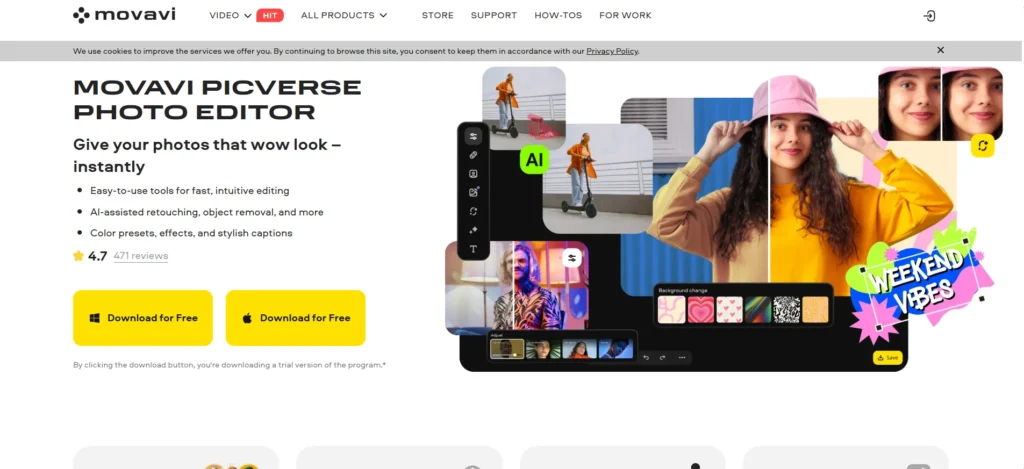
Movavi Picverse is a desktop-based photo editor designed for casual photographers and home users. It prioritizes automation over manual complexity. It promises to turn average snapshots into high-quality images with just a few clicks.
In this Movavi Picverse review, we will cover features, pricing, pros, cons, and alternatives.
Quick Verdict — “Tiny Tool Take”
Movavi Picverse is a solid choice for users who want better results than basic smartphone filters but find Photoshop too difficult. It strikes a balance between automated AI fixes and simple manual adjustments.
Who this is for: Casual photographers, social media hobbyists, and people restoring old family archives.
Who it is NOT for: Professional retouchers or designers who require high-end vector tools and non-destructive layer management.
Rating: 4.3/5 ⭐⭐⭐⭐⭐
Key Features
AI Auto Enhance
The AI Auto Enhance tool is the center of the Picverse experience. It analyzes the lighting, contrast, and color balance of an image instantly. With one click, it applies a series of corrections to make the image look more balanced.
This matters because it eliminates the need for manual color grading. You do not have to guess which sliders to move. The AI handles the technical balance, which is perfect for processing many vacation photos quickly.
Object Removal Tool
We have all had a perfect photo ruined by a trash can or a stray power line. The object removal tool in Picverse uses a content-aware algorithm to solve this. You simply paint over the unwanted object, and the software fills the gap.
The software analyzes the surrounding textures to ensure the fill looks natural. It works best on simple backgrounds like sky, grass, or sand. For home users, this is an essential utility for cleaning up travel memories.
AI Background Removal
Changing the background of a photo used to require surgical precision with a selection tool. Picverse automates this process using a dedicated AI module. It identifies the main subject and separates it from the background.
Once the background is removed, you can replace it with a solid color or a different image. This is helpful for creating clean profile pictures or fun social media edits. It removes the technical barrier of manual masking.
Old Photo Restoration
Many users have boxes of old family photos that are fading or scratched. Picverse includes a specialized restoration mode for these specific cases. The AI identifies cracks and scratches and “heals” them automatically.
It also features a colorization tool for black-and-white photos. This adds a layer of realism to old archives. It is a powerful way for families to preserve their history without hiring a professional restorer.
Precision Retouching Tools
While the AI handles the big changes, Picverse also includes specific retouching tools for portraits. These include skin smoothing, teeth whitening, and eye enhancement. The tools are designed to be subtle rather than aggressive.
You can fix “red-eye” or remove a temporary blemish in seconds. It allows casual users to polish their portraits before posting them online. The focus is on making the subject look their best without looking artificial.
Ease of Use
The dashboard of Movavi Picverse is very clean and modern. It avoids the cluttered toolbars found in professional editors. The main tools are organized on the right side of the screen in logical categories.
The setup process is simple for both Windows and Mac users. You download the installer from the official site and follow the standard prompts. It does not require high-level technical knowledge to get the software running on your desktop.
The learning curve is very flat. Most tools provide a preview of what they will do before you apply them. If you make a mistake, the “undo” function is always available. It feels more like using a powerful smartphone app on your computer than a daunting design suite.
Performance & Reliability
Since Picverse is a desktop application, its speed depends on your hardware. On a modern laptop, the AI processing usually takes between three and eight seconds. It is much faster than doing the same edits manually.
The stability of the software is impressive. It handles high-resolution JPEG and RAW files without significant lag. During our testing, we did not experience any crashes even when using the resource-heavy restoration tools.
The output quality is high for the target audience. The images remain sharp after AI enhancements. The object removal tool is reliable for most everyday shots, though very complex backgrounds can sometimes show a slight blur.
Pricing & Plans
Movavi Picverse offers several different ways to pay. You can choose between a subscription model or a one-time purchase. This flexibility is a major benefit for home users who do not want another monthly bill.
| Plan Type | Best For | Price Range |
| 1-Year Subscription | Short-term users | Lowest upfront cost |
| Personal Lifetime | Casual hobbyists | Best value for money |
| Business Lifetime | Commercial use | Higher resolution support |
| Movavi Unlimited | Full video/photo suite | Includes video editor |
The Personal Lifetime plan is the best value for most people. You pay once and own the software forever. It is a one-time investment that covers all your basic photo editing needs for years to come.
Pros and Cons
✅ Simple interface that is accessible for absolute beginners.
✅ Powerful AI restoration tools for fixing old family photos.
✅ Fast background removal that requires no manual selection.
✅ One-time purchase option avoids the “subscription trap.”
✅ Lightweight software that runs well on standard home computers.
❌ Lacks advanced layer-based editing for complex compositions.
❌ Manual selection tools can feel limited compared to professional suites.
❌ Not suitable for high-end vector or design work.
❌ Batch processing is limited in the basic personal version.
Customer Support
Movavi provides support through a detailed help center and an email-based ticketing system. Their website features many video tutorials and “how-to” articles. These resources cover everything from basic installation to advanced restoration techniques.
Response times for email inquiries are usually within 24 hours. While they do not have 24/7 live chat for all users, the documentation is very thorough. Most users will find answers to their questions in the knowledge base without needing to contact a person.
Top Alternatives
Photoshop Elements
This is the “light” version of professional Photoshop. It offers more manual tools than Picverse but has a steeper learning curve. Choose this if you want to eventually learn professional design but need a simpler starting point.
Luminar Neo
Luminar Neo is more expensive but offers more advanced AI features. It excels at complex landscape edits and relighting. Choose Luminar if you are a serious hobbyist who wants the absolute best AI technology available.
ACDSee
ACDSee is a powerful alternative for users who also need to organize massive photo libraries. It has strong metadata and cataloging features. Choose this if you have thousands of photos and need a tool that handles both management and editing.
Conclusion
Is Movavi Picverse good for your home photo projects? If you are a casual user who wants to fix vacation shots and restore old family photos, the answer is a clear yes. It removes the technical frustration of photo editing.
The software succeeds because it doesn’t try to be Photoshop. It focuses on the tasks that home users actually care about. It is a reliable, fast, and affordable utility for the average person who wants better photos.
While professionals might find it limited, the target audience will find it liberating. It allows you to be creative without needing to study a manual. For a one-time fee, it provides a powerful set of tools that will serve you for years.
Frequently Asked Questions
Movavi offers a free trial version of Picverse. However, the trial version usually adds a watermark to your exported images. You need to purchase a license to save your work without watermarks.
Yes, Movavi Picverse is fully compatible with macOS. It also has a version for Windows, ensuring that most desktop users can use the software.
Yes, Picverse supports the opening and basic editing of RAW files from many camera manufacturers. This allows hobbyists with DSLR cameras to get more detail out of their shots.
You need an internet connection to download and activate the software. Once it is activated on your desktop, you can use the editing tools offline without any issues.
Picverse is the updated, AI-enhanced version of their older photo editing software. It features more advanced neural networks and a more modern user interface for better performance.