Carrd Review 2026: Build Simple, Responsive One‑Page Sites in Minutes
You are a freelancer with a growing list of clients and a portfolio you are proud of. You know you need a professional online presence, but the thought of spending $200 a year on a complex website builder makes you hesitate. You do not need a massive blog or a complex e-commerce store.
You simply need a clean, professional place to point potential clients. You want a site that looks great on a phone, takes thirty minutes to build, and does not break the bank. Most platforms feel like overkill for a simple “link in bio” or a personal landing page.
Carrd was built specifically for this middle ground. It is a streamlined, one-page website builder that focuses on simplicity and speed. It allows you to create fully responsive sites that look expensive but cost less than a few cups of coffee per year.
In this Carrd review, we will cover features, pricing, pros, cons, and alternatives.
Quick Verdict — “Tiny Tool Take”
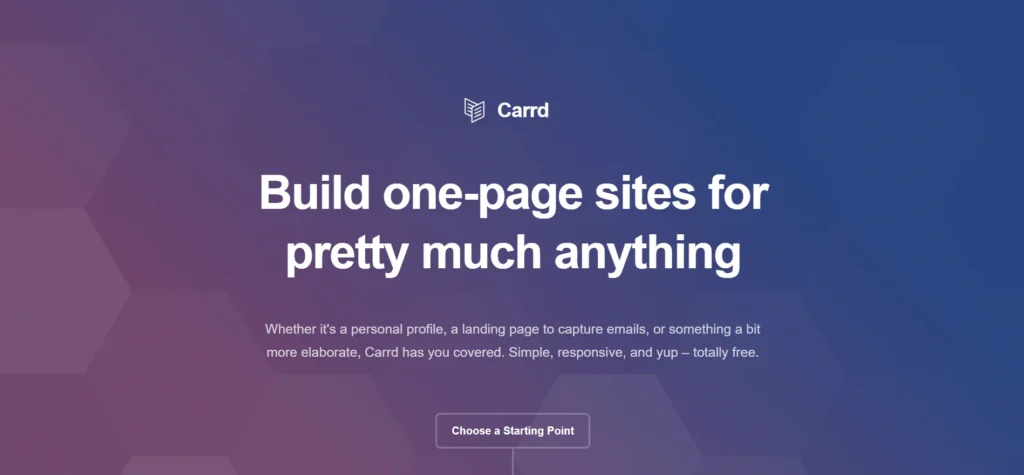
Carrd is a minimalist website builder perfect for landing pages, portfolios, and simple one‑page sites. While it doesn’t offer the deep e‑commerce or blogging features of WordPress or Shopify, its speed, affordability, and ease of use make it an unbeatable choice for creators who want to launch clean, responsive sites without complexity.
Who this is for: It is the perfect choice for freelancers, personal branding, and simple landing pages.
Who it is NOT for: It is NOT for anyone needing a blog, a multi-page site, or a complex store.
Rating: 4.8/5 ⭐⭐⭐⭐⭐
Key Features
Responsive Templates
Carrd starts every project with a selection of dozens of pre-made templates. These range from simple “Contact Me” cards to detailed landing pages with multiple sections. Every template is fully responsive right out of the box.
This matters because you do not have to worry about how your site looks on an iPhone versus a desktop. The builder automatically adjusts the layout to fit the screen. You can customize the colors, fonts, and spacing, but the structural integrity remains solid.
Section Breaks
While Carrd is a one-page builder, it uses a clever feature called “Section Breaks.” This allows you to create a site that feels like it has multiple pages. When a user clicks a link, the page scrolls or transitions to a specific section.
This is a game-changer for freelancers who want to separate their “About” info from their “Portfolio.” You get the SEO benefits of a single page with the user experience of a full site. It keeps the navigation clean without the technical overhead of a multi-page CMS.
Custom CSS and Embeds
For users who want more control, Carrd allows for custom code injection on their Pro plans. You can add your own CSS to style elements beyond the standard settings. You can also embed third-party widgets like Spotify players, YouTube videos, or custom scripts.
This matters because it removes the “template” feel that plagues many cheap builders. If you have a specific vision or a unique tool you need to display, Carrd can handle it. It bridges the gap between a “no-code” tool and a developer-friendly platform.
Forms and Lead Capture
Carrd integrates seamlessly with major email marketing tools like Mailchimp, ConvertKit, and MailerLite. You can add contact forms or signup boxes directly to your page. The Pro version also supports custom forms that send data to your email or a Google Sheet.
This is essential for anyone using their site for business. Whether you are building a newsletter list or taking project inquiries, the data flow is automated. You do not have to manually check your site; the leads come directly to your inbox.
Mobile-Specific Tuning
Most builders let you preview mobile views, but Carrd lets you tune them. You can change the font size, alignment, and even the visibility of elements specifically for mobile users. This ensures that your most important information is always front and center.
In 2026, more than half of your traffic will likely come from mobile devices. Having this granular control ensures your personal brand looks professional everywhere. You can hide heavy images for mobile users to improve loading speeds while keeping them for desktop viewers.
Ease of Use
The dashboard clarity in Carrd is refreshingly simple. When you log in, you see a grid of your active sites and a “New Site” button. There are no distracting marketing pop-ups or complex sub-menus to navigate.
The setup process is fast because it bypasses the traditional “account first” model. You can actually build your entire site before you even create an account. You only need to sign up when you are ready to save or publish your work.
The learning curve is very low for basic editing. You click an element, and a sidebar opens with all the customization options. While the “Canvas” style of editing is different from a standard document, most users master it in under twenty minutes.
Performance & Reliability
Speed is one of Carrd’s biggest technical advantages. Because the sites are only a single page, they load almost instantly. Carrd uses highly optimized code and a global CDN to ensure your site is snappy regardless of the visitor’s location.
Stability is excellent, with very little recorded downtime over the years. The platform is lightweight and does not suffer from the bloat that often slows down WordPress or Wix sites. Your site stays online and functional even during high traffic spikes.
Output quality is professional across the board. The fonts are crisp, the animations are smooth, and the images are automatically optimized. Even with zero design experience, it is difficult to make a site that looks “cheap” using their core framework.
Pricing & Plans
| Plan | Best For | Price (Yearly) | Key Features |
| Free | Hobbyists | $0 | 3 sites, .carrd.co URL, Carrd branding. |
| Pro Lite | Personal Bio | $9 | 3 sites, no branding, high-res images. |
| Pro Standard | Freelancers | $19 | 10 sites, custom domains, forms, widgets. |
| Pro Plus | Power Users | $49 | 25 sites, password protection, advanced settings. |
The Pro Standard plan is the best value for most professionals. For less than $20 a year, you get custom domain support and the ability to add forms. This is significantly cheaper than almost every other website builder on the market.
Pros and Cons
✅ The most affordable professional website builder available in 2026.
✅ High-quality templates that look modern and premium.
✅ Extremely fast loading times due to the one-page architecture.
✅ No-account-required builder allows for immediate experimentation.
✅ Seamless integration with popular marketing and payment tools.
❌ Limited to one-page sites; you cannot build a traditional blog.
❌ No built-in e-commerce cart; you must use third-party embeds like Stripe.
❌ The editor can feel a bit cramped on smaller laptop screens.
❌ Support is primarily email-based with no live chat option.
Customer Support
Support for Carrd is direct and efficient. They offer a detailed documentation library that covers almost every technical question you might have. Each article is short, illustrated, and written in plain English.
If the documentation is not enough, you can contact their team via email. While they do not offer 24/7 live chat, their response times are usually very quick during business hours. The answers come from people who actually know the product, not generic call center scripts.
For a tool at this price point, the support is better than expected. Most users will find everything they need in the self-help section. The platform is so stable that technical issues requiring direct intervention are rare.
Top Alternatives
Linktree
Linktree is the primary competitor for simple “link in bio” pages. It is easier to set up but much more limited in design. Carrd is a better choice if you want a site that looks like a real website rather than just a list of buttons.
Wix
Wix is a full-featured website builder that can do almost anything. It is better than Carrd if you need multiple pages, a built-in blog, or a complex store. However, it is much more expensive and has a significantly steeper learning curve.
Squarespace
Squarespace is known for its beautiful, high-end design templates. It is an excellent choice for photographers or high-end agencies. Compared to Carrd, it is much more of an investment in both time and money.
Conclusion
Carrd has carved out a unique space in the tech world. It does one thing—single-page websites—and it does it better than anyone else. It removes the barriers of cost and complexity that stop many people from launching their ideas.
Is Carrd good for your personal brand? If you need a professional, fast, and affordable presence, the answer is a resounding yes. It is a practical tool that respects your time and your wallet.
The value provided for $19 a year is unmatched in the industry. Whether you are a freelancer or just need a landing page for a new project, Carrd is a reliable choice. It remains our top recommendation for one-page builders in 2026.
Frequently Asked Questions
Yes, you can use a custom domain (like www.yourname.com) on any of the Pro plans. Carrd provides clear instructions for updating your DNS settings with providers like Namecheap or Google Domains.
Yes, Carrd sites are SEO-friendly. You can customize meta titles, descriptions, and alt text for images. Because the sites load very fast, they often perform well in Google’s mobile search results.
You can sell products by embedding checkout buttons from services like Stripe, PayPal, or Gumroad. Carrd does not have its own built-in shopping cart, so you must use these external integrations.
No, the free version is free forever. You can keep your site on a .carrd.co subdomain indefinitely, though it will include a small “Made with Carrd” credit in the footer.
No, Carrd is a hosted platform. You cannot export the code to run on a different server like Bluehost or SiteGround. However, you can always point your domain away from Carrd if you decide to build a new site elsewhere.