Bardeen Review 2026: Automate Repetitive Tasks with No‑Code Workflows
You are halfway through a grueling afternoon of lead generation. Your ritual involves opening a LinkedIn profile, highlighting a name, tabbing over to a Google Sheet, pasting the data, tabbing back, and repeating the process five hundred more times. By the third hour, you aren’t just bored; you are physically drained from the repetitive clicking. This “manual labor of the digital age” is where most productivity dies.
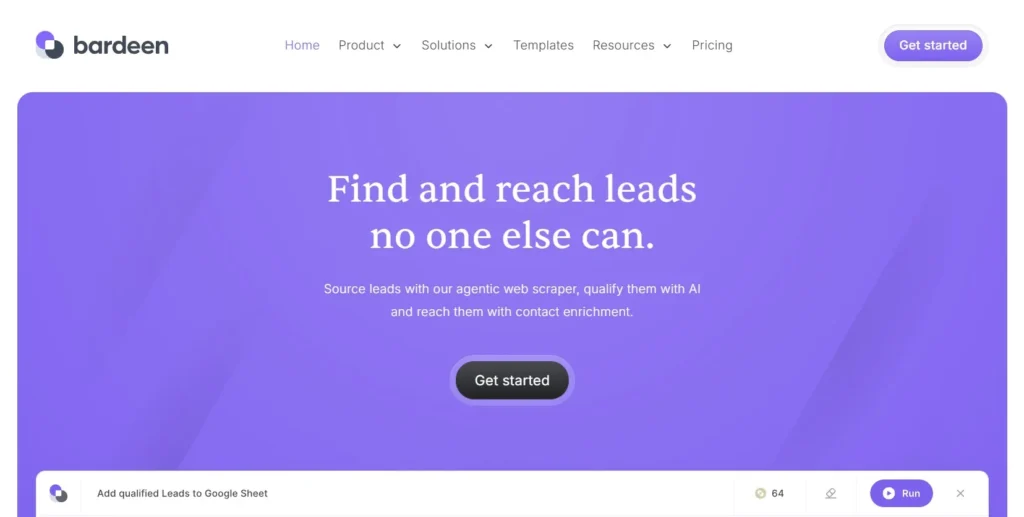
Bardeen exists to kill the “copy-paste” cycle once and for all. It is a browser-native automation tool that lives in your Chrome sidebar and uses AI to perform tasks across your tabs as if it were a human assistant. Instead of you doing the clicking, the AI observes your browser and handles the data transfer for you. In this Bardeen review, we will cover features, pricing, pros, cons, and alternatives.
Quick Verdict — “Tiny Tool Take”
Bardeen is the premier choice for “on-the-fly” browser automation in 2026. While tools like Zapier handle backend data, Bardeen excels at front-end tasks like web scraping and lead enrichment directly from the pages you are currently visiting.
Who this is for: Sales teams, recruiters, and researchers who spend hours daily moving data from websites into CRMs or spreadsheets.
Who it is NOT for: People who need heavy server-side logic without a browser open, or those on older computers that struggle with high RAM usage.
Rating: 4.6/5 ⭐⭐⭐⭐⭐
Key Features
Magic Box AI Builder
The Magic Box is Bardeen’s answer to complex automation setup. Instead of building a workflow from scratch with “if-this-then-that” logic, you simply type what you want in plain English. For example, you can type “Scrape this LinkedIn search and save to my HubSpot,” and the AI will generate the entire sequence of actions for you.
Browser Agent (AI Teammates)
In 2026, Bardeen introduced “Browser Agents” that act like smart interns. Unlike a standard scraper that just pulls text, these agents can traverse a website, find specific information (like a company’s value proposition), and summarize it before sending it to your database. It is autonomous research performed within your local browser environment.
Playbooks and Autobooks
Bardeen categorizes its automations into two types: Playbooks and Autobooks. Playbooks are manual shortcuts you trigger with a single click or keyboard command when you are on a specific page. Autobooks are “set and forget” triggers that run in the background based on events, such as a new meeting being added to your calendar.
500+ Deep Integrations
While it lives in your browser, Bardeen connects to over 500 external apps. It can natively “talk” to Notion, HubSpot, Slack, Salesforce, and Google Sheets. This means you can enrich a lead on LinkedIn and have their verified email address and company funding history automatically populated in your CRM without leaving the profile page.
Ease of Use
Bardeen’s biggest selling point is that it requires zero coding knowledge. Because it is a Chrome extension, the setup process is as simple as clicking “Add to Chrome.” Once installed, a sidebar appears that guides you through connecting your most-used apps.
The dashboard is exceptionally clean, focusing on a searchable library of pre-built “templates.” If you don’t want to build your own automation, you can likely find one that someone else has already made. This “community-driven” approach means you can start saving time within the first five minutes of installation.
However, the learning curve sits in the “customization” phase. While simple scraping is easy, building complex multi-step workflows with AI logic takes some trial and error. The interface provides helpful visual feedback, but beginners may need to watch a few of Bardeen’s “Academy” videos to master the more advanced AI actions.
Performance & Reliability
Because Bardeen runs locally as a browser extension, its performance is tied directly to your computer’s hardware. On modern machines, it is lightning-fast, extracting hundreds of data points in seconds. On older laptops, however, you might notice a significant spike in CPU and RAM usage when running complex scraping tasks.
Stability has improved significantly in 2026. Earlier versions were prone to “breaking” if a website changed its layout, but Bardeen’s new AI-powered selectors are much more resilient. The tool now “understands” what a name or an email looks like on a page, even if the website’s code changes slightly.
Pricing & Plans
| Plan | Price (Monthly) | Credits / Month | Best For |
| Free | $0 | 100 Credits | Testing and light personal use |
| Starter | $99 | 15,000 Credits/yr | Freelancers and Solo Sales Reps |
| Teams | ~$500 | 120,000 Credits/yr | Agencies and Sales Teams |
| Enterprise | Custom | 500,000+ Credits | Large-scale GTM operations |
The Starter Plan is generally the best entry point for professionals. It provides access to the AI Playbook Builder and premium integrations. The credit system means every “action” (like scraping a profile or finding an email) costs a credit, so your mileage will vary based on how aggressive your lead generation is.
Pros and Cons
✅ No-code interface makes automation accessible to non-technical users.
✅ Huge library of pre-built playbooks saves hours of setup time.
✅ Runs locally in the browser, which is better for privacy and security.
✅ Powerful AI Browser Agents that can perform actual research.
✅ Seamlessly connects LinkedIn to almost any modern CRM.
❌ Higher plans can be quite expensive for small teams.
❌ Significant RAM and CPU usage can slow down older computers.
❌ The credit-based system requires careful monitoring of usage.
❌ Some complex web scrapers still require manual tweaking to work perfectly.
Customer Support
Bardeen provides a mix of self-service and direct support. Their documentation is top-tier, featuring visual guides for nearly every integration. For paid users, they offer responsive email support and a dedicated Slack channel for Team and Enterprise tiers. The community Discord is also a very active place where power users share custom scrapers and help troubleshoot logic errors.
Top Alternatives
Zapier
Zapier is the king of “backend” automation. It is better for connecting two apps that don’t involve the browser (e.g., “When I get an email, save the attachment to Dropbox”). However, Zapier cannot “see” what is on your current screen like Bardeen can, making it less useful for active lead generation.
Make (formerly Integromat)
Make is the choice for power users who want complex, visual logic and lower costs than Zapier. It offers much more granular control over data transformation. Like Zapier, it lacks the “browser-side” presence of Bardeen, so you would still need a separate tool to scrape data into it.
PhantomBuster
PhantomBuster is specifically designed for “phantom” automations that run in the cloud 24/7. It is excellent for mass-scraping LinkedIn or Twitter without you having to keep your browser open. The downside is that it is less “interactive” than Bardeen and can be riskier for account safety if not configured correctly.
Conclusion
Bardeen is a “force multiplier” for anyone whose job involves moving data between the web and a database. In 2026, its transition from a simple scraper to a full-fledged AI Browser Agent has made it an essential part of the modern GTM (Go-To-Market) stack. While the pricing has climbed and the hardware requirements are notable, the amount of “busywork” it eliminates is undeniable. If you want to stop clicking and start closing, Bardeen is the best sidekick you can hire.
Frequently Asked Questions
Bardeen offers a free plan with 100 credits per month. This is perfect for testing the tool and running small personal automations, but professional users will likely hit this limit quickly and need to upgrade.
Currently, Bardeen is a Chromium-based extension. It works perfectly on Google Chrome, Brave, Microsoft Edge, and the Arc browser. It does not currently support Safari or Firefox.
Bardeen is designed to be “human-like” and runs locally in your browser, which is generally safer than cloud-based scrapers. However, you should always follow LinkedIn’s user agreements and avoid running high-volume automated actions that exceed human limits.
Yes, Bardeen has built-in enrichment actions that can find and verify business emails using third-party providers. These actions typically cost “premium credits” depending on your plan.
Credits are the currency of the platform. Every time Bardeen performs an action—like adding a row to a spreadsheet or scraping a profile—it consumes credits. Your plan determines how many credits you get per month or year.