

You have a big announcement to share with your supporters, but every time you open your current email tool, you feel a headache coming on. The interface is cluttered, the “simple” drag-and-drop editor keeps glitching, and you are spending more time fighting with software than actually writing your message. For many small businesses and nonprofits, the “big name” marketing platforms have become too bloated and expensive for their actual needs.
Benchmark Email was created to strip away that complexity. It is an email marketing platform that prioritizes a “simplicity-first” approach, focusing on helping you get a professional-looking campaign out the door in minutes. Instead of overwhelming you with enterprise-level data science you will never use, it provides a clean, intuitive workspace where the path from “idea” to “inbox” is as short as possible.
In this Benchmark Email review, we will cover features, pricing, pros, cons, and alternatives.
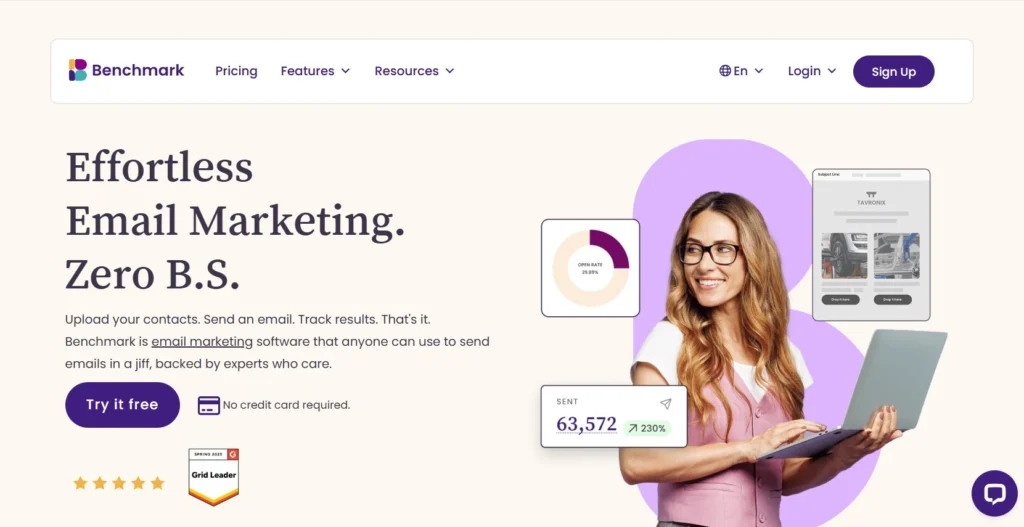
Quick Verdict — “Tiny Tool Take”
Benchmark Email is an email marketing platform designed for small businesses and nonprofits that want straightforward campaign creation without complex features. With drag‑and‑drop templates, automation, and analytics, it makes email marketing accessible to beginners. While it doesn’t offer the advanced CRM or multi‑channel capabilities of HubSpot or ActiveCampaign, its simplicity and affordability make it a practical choice for teams focused on email alone.
Who this is for: Small businesses, local shops, and nonprofits who want a clean, easy-to-use interface and professional templates without a steep learning curve.
Who it is NOT for: High-volume e-commerce brands or advanced marketers who require complex cross-list segmentation and deep multi-channel automation.
Rating: 4.4/5 ⭐⭐⭐⭐⭐
Key Features
Simple Drag-and-Drop Editor
The centerpiece of the platform is its “no-code” email builder. It uses a structured grid system that prevents you from making design mistakes while still giving you the flexibility to move blocks around. You can add text, images, buttons, and social links by simply dragging them from the sidebar directly into your layout.
Smart AI Tools
Benchmark has integrated AI into its core workflow to help with the most common hurdle: writer’s block. The “Smart Content” tool can generate subject lines, headlines, and even body copy based on a short prompt. They also offer a “Magic Image” feature that generates custom visuals, helping you keep your emails fresh without needing a dedicated graphic designer.
Ready-Made Template Library
If you do not want to start from scratch, you can choose from hundreds of pre-designed templates categorized by industry and occasion. Whether you are sending a monthly newsletter, a holiday promotion, or a nonprofit donation appeal, there is likely a mobile-responsive layout ready for your content.
Basic Automation Pro
While it keeps things simple, Benchmark does offer a visual automation builder for essential tasks. You can set up “Welcome” sequences for new signups or “Follow-up” emails based on whether a subscriber clicked a specific link. It covers the most important 80% of automation needs without the technical confusion of more complex platforms.
Real-Time Reporting
Once you hit send, the platform provides a clean dashboard that tracks exactly how your audience is reacting. You can see your open rates, click-through rates, and bounce rates in real-time. It also includes “Link Activity” reports, which show you which parts of your email generated the most interest.
Ease of Use
The dashboard is one of the cleanest in the industry. It avoids the “dashboard bloat” found in competitors like Mailchimp by only showing the features you actually need. Navigating between your contact lists, campaigns, and reports is logical, making it a great choice for teams where marketing is only a part-time responsibility.
The setup process is fast. You can import contacts by uploading a CSV file, and the platform provides clear instructions to ensure your data matches the right fields. Unlike some enterprise tools that require a “warm-up” period or complex domain authentication just to send a test, Benchmark gets you up and running within an hour.
The learning curve is virtually non-existent for basic campaigns. The “Checklist” feature is particularly helpful for beginners; it alerts you to missing links, absent alt-text on images, or forgotten subject lines before you can send. It acts like a second pair of eyes, ensuring you don’t make embarrassing mistakes.
Performance & Reliability
Benchmark has a strong reputation for deliverability among small-scale senders. They maintain high sender scores by being strict about list quality, which benefits everyone on their shared servers. In our tests, emails consistently reached the “Primary” inbox in Gmail and Outlook rather than getting lost in the “Promotions” tab.
The platform’s speed is a highlight. The editor is lightweight and responsive, meaning you won’t experience the lag or “freezing” that sometimes happens with more script-heavy competitors. This stability is critical when you are trying to push out a time-sensitive update.
The output quality is high across devices. Every template is mobile-responsive by default, so your emails look just as good on a smartphone as they do on a desktop. You can use the “Live Preview” and “Test Send” features to verify the layout before the final launch.
Pricing & Plans
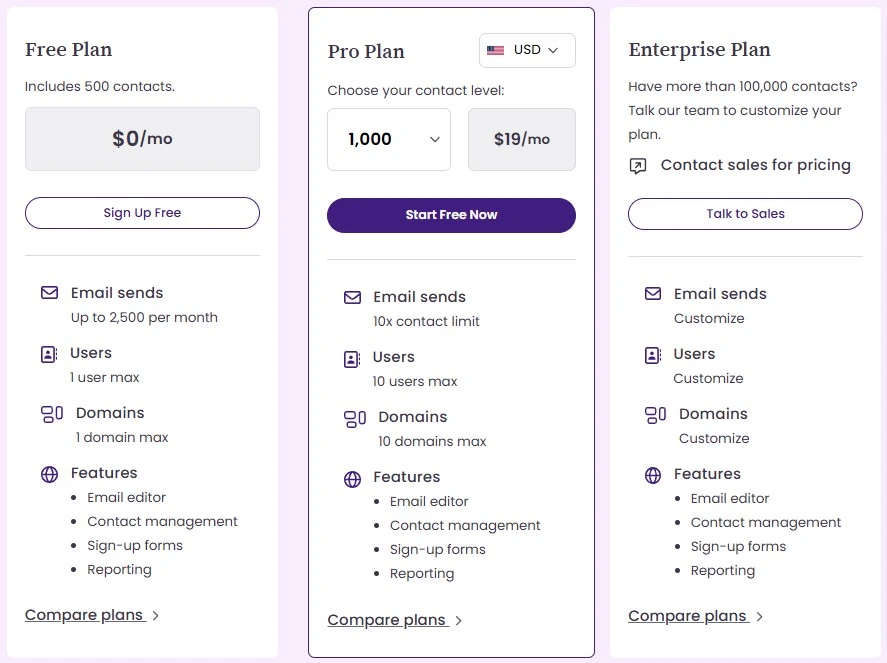
Benchmark Email offers a tiered pricing structure that grows with your list. They are one of the few platforms that still offer a functional free plan for very small lists.
| Plan | Price (Monthly) | Contact Limit | Key Features |
| Free | $0 | 500 | 3,500 emails/mo, Basic reports, Lite automation |
| Lite | Starting at $9.99 | 500+ | Unlimited sends (to list limit), Landing pages |
| Pro | Starting at $15.00 | 500+ | A/B testing, Advanced automation, AI tools |
| Enterprise | Custom | 25,000+ | Dedicated IP, White-labeling, Priority support |
The Pro Plan is our recommendation for businesses that want to grow. It unlocks A/B testing and the full automation suite, which are essential for improving your results over time.
Pros and Cons
✅ Extremely easy to navigate for beginners and non-tech users.
✅ AI tools for text and image generation are included even on lower tiers.
✅ Beautiful, mobile-responsive templates that are easy to customize.
✅ Pricing is very competitive for small to mid-sized lists.
✅ 24/7 human support available via chat and email.
❌ Automation features are basic compared to specialized CRM tools.
❌ List management can be rigid; you cannot easily segment across multiple lists.
❌ No built-in tools for selling digital products directly in the email.
❌ Advanced reporting (like revenue tracking) is limited.
Customer Support
Support is one of Benchmark’s strongest areas. They offer 24/7 live chat and email support, which is rare for a platform at this price point. In our experience, the wait times for chat are usually under five minutes, and the agents are helpful and speak clear English.
They also offer support in nine different languages, making them a great choice for international teams. Their “Help Center” is well-organized with video tutorials and step-by-step guides that cover everything from setting up your first list to technical domain authentication (DKIM/SPF).
Top Alternatives
Mailchimp
Mailchimp is the biggest name in the category. It offers more advanced AI and social media tools, but it has become significantly more expensive and complex in recent years. Choose Mailchimp if you want “all-in-one” marketing, but expect a steeper learning curve and higher bills.
Constant Contact
Constant Contact is widely used by nonprofits and small businesses. It offers similar ease of use but includes more event management and social media features. It is generally more expensive than Benchmark for the same number of contacts.
AWeber
AWeber is a great alternative if you want a platform with a long history of high deliverability and 24/7 phone support. It is slightly more “old school” in its design, but it is extremely reliable for bloggers and entrepreneurs who prioritize simple list growth.
Conclusion
Benchmark Email lives up to its promise of taking the “chaos” out of email marketing. It doesn’t try to be everything to everyone; instead, it focuses on being the most user-friendly tool for small businesses and nonprofits. If you find yourself avoiding your marketing because your current software is too frustrating, Benchmark is the breath of fresh air you need.
It gives you all the essential tools—AI assistance, a great editor, and solid reporting—without the high price tag or the steep learning curve. For those who want to spend more time connecting with their audience and less time “wrestling” with a dashboard, Benchmark Email is an excellent choice.
Frequently Asked Questions
Yes, they offer a “Free Signup” plan that allows you to send up to 3,500 emails per month to 500 contacts. It is a great way to test the editor and basic reporting before upgrading.
Yes, landing pages are available on the paid plans (Lite and above). They use the same drag-and-drop technology as the email builder, making it easy to create consistent lead-capture pages.
It is “good” for basic e-commerce, such as announcing sales or showcasing products. However, if you need deep revenue tracking or complex “abandoned cart” triggers that link to your Shopify store’s data, you might find it a bit limited compared to a tool like Klaviyo or Drip.
The AI tool, called “Smart Content,” allows you to enter a few keywords or a sentence about your goal. It then generates several versions of subject lines or body copy that you can insert directly into your campaign.
Absolutely. You can import contacts via a CSV or Excel file, or you can integrate directly with services like Google Contacts or various CRMs to sync your audience automatically.