

Starting an online business usually starts with a simple idea. You want to sell a course or a digital guide. Then you realize you need a website builder, an email marketing tool, a checkout processor, and a community platform. Suddenly, you are paying for four different subscriptions and spending hours trying to make them talk to each other. It is a technical headache that stops many creators before they even begin.
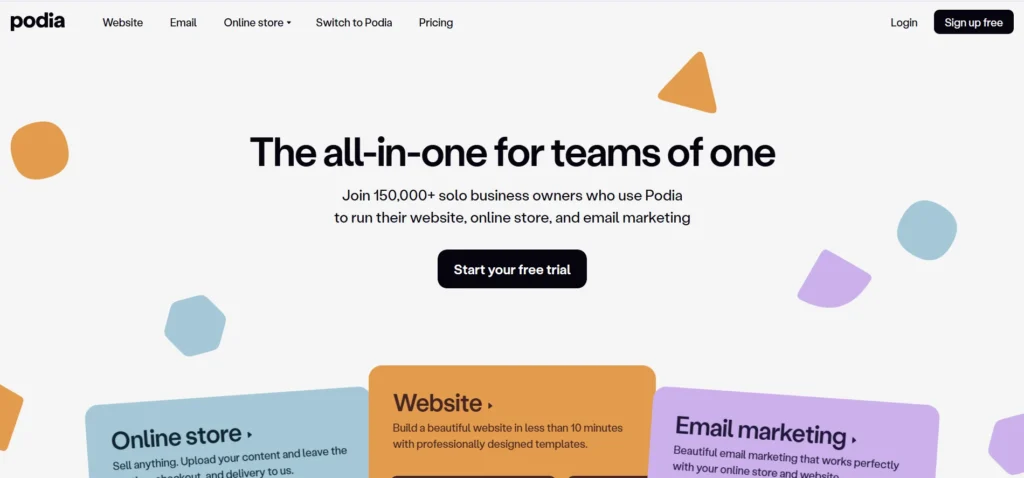
Podia aims to solve this by putting everything under one roof. Instead of “duct-taping” different apps together, you get a single dashboard. You can host your videos, send newsletters, and manage members without leaving the site. It is built for people who want to spend more time creating and less time troubleshooting software.
In this Podia review, we will cover features, pricing, pros, cons, and alternatives.
Quick Verdict — “Tiny Tool Take”
Podia is a creator‑friendly platform that makes it easy to sell online courses, memberships, and digital products without juggling multiple tools. While it doesn’t have the enterprise‑level customization of platforms like Kajabi or Teachable, its simplicity, affordability, and all‑in‑one approach make it a strong choice for solo creators and small businesses.
Who this is for: Solo creators, educators, and coaches who want a simple, all-in-one platform to sell digital products without technical complexity.
Who it is NOT for: Large enterprises or agencies that require deep design customization, advanced SEO controls, or complex automation workflows.
Rating: 4.6/5 ⭐⭐⭐⭐⭐
Key Features
Online Course Hosting
The core of Podia is its course builder. It allows you to upload videos, PDFs, and text lessons into a structured curriculum. You can choose to release all content at once or use “drip” settings. Drip content lets you schedule lessons to unlock over several days or weeks. This keeps students engaged and prevents them from feeling overwhelmed by too much information.
The student experience is clean and distraction-free. The player is mobile-responsive, meaning your customers can learn on their phones via a web browser. While it lacks a native mobile app for students, the browser experience is stable. You can also add basic multiple-choice quizzes to check for understanding. This feature is essential for educators who want to offer certificates of completion.
Digital Downloads
Podia is excellent for selling smaller assets like ebooks, templates, and audio files. You simply upload your file, set a price, and create a landing page. The platform handles the secure delivery of the file immediately after purchase. This removes the need for manual emailing or third-party storage links.
You can also offer “pay-what-you-want” pricing. This is a popular strategy for creators who want to grow their audience while still earning some revenue. It allows fans to support your work at a price point they can afford. The checkout process is optimized for speed, which helps reduce cart abandonment rates.
Community & Memberships
Building a community is often better than just selling a one-time product. Podia includes a community feature that replaces the need for a private Facebook group or a Slack channel. You can create free or paid tiers for your members. Inside these tiers, you can host discussions, share exclusive content, and interact directly with your followers.
Members can follow specific topics or participate in general threads. This keeps the conversation organized. For creators, having your products and your community in the same place is a massive advantage. Students can discuss a lesson right after they finish it, which increases the value of your offer. It creates a “sticky” ecosystem where users stay longer.
Email Marketing
Most platforms make you pay for an external email tool like Mailchimp or ConvertKit. Podia includes email marketing as a native feature. You can send one-time broadcasts or set up automated “campaigns.” For example, you can set a sequence to automatically email anyone who signs up for a free lead magnet.
The segmentation is powerful because it uses your sales data. You can filter your list to only message people who bought a specific course. Or, you can email people who haven’t spent any money yet to offer them a discount. This tight integration ensures your marketing is relevant to each subscriber. It also saves you money by eliminating a separate monthly bill.
Webinars & Coaching
Selling your time is a quick way to generate revenue while you build your passive income products. Podia integrates with Zoom and YouTube Live to help you host webinars. You can sell access to these live events or offer them as free lead magnets. The platform handles the registration and the follow-up emails.
For one-on-one coaching, Podia integrates with tools like Calendly. You can set up a “coaching product” where students pay first and then book a time on your calendar. This prevents the back-and-forth of scheduling via email. It also ensures you get paid upfront for your expertise. This feature makes it a strong contender for consultants and professional coaches.
Ease of Use
The first thing you notice when logging into Podia is the lack of clutter. Many competitors have dashboards that look like complex spreadsheets. Podia uses a clean, modern interface that feels intuitive. The sidebar menu clearly separates your products, email, and community settings.
Setting up a website is handled through a “block” system. You do not need to know how to code to build a professional-looking page. You simply add a block for “Testimonials,” a block for “Email Signup,” or a block for “Product List.” You can move these blocks up and down with a single click. While this limits your design freedom compared to a tool like Elementor, it ensures your site always looks clean and works on mobile.
The learning curve is very shallow. Most users can go from a blank account to a live product in a single afternoon. There are no complex plugins to install or themes to update. Podia handles all the hosting, security, and updates in the background. This “hands-off” approach to technology is the platform’s biggest selling point.
Performance & Reliability
Podia is a hosted solution, so you don’t have to worry about server speed. Pages load quickly, which is vital for SEO and user experience. The video hosting is included in your plan and is powered by professional-grade infrastructure. This means your videos won’t lag or buffer when a student tries to watch them.
Stability is a high priority for the company. Downtime is rare, and the platform handles high traffic spikes during big launches well. The checkout system is robust. It supports Stripe and PayPal, providing a secure way for customers to pay via credit card or digital wallet. Payouts are instant, meaning the money goes directly to your payment processor as soon as a sale is made.
Pricing & Plans
Podia offers a range of plans depending on your stage of business. It is important to note that transaction fees change based on which plan you choose. If you are making consistent sales, moving to a higher plan usually pays for itself by removing those fees.
| Plan | Price (Monthly) | Transaction Fee | Key Features |
| Free | $0 | 10% | 1 product, full website, community |
| Starter | $9 | 8% | Custom domain, chat support, 1 download |
| Mover | $39 | 5% | Unlimited products, email marketing, coaching |
| Shaker | $89 | 0% | Affiliate marketing, zero Podia fees, PayPal |
The Mover plan is generally the best value for new creators. It allows you to sell unlimited courses and downloads. However, if you are earning more than $1,000 per month, the Shaker plan is better. The $50 price jump is worth it to stop paying the 5% transaction fee and to gain access to the affiliate marketing tools.
Pros and Cons
✅ One of the easiest platforms to learn for non-technical users.
✅ Replaces the need for separate email, website, and community tools.
✅ Unlimited hosting for videos and files is included in paid plans.
✅ Excellent customer support that is available seven days a week.
✅ Free migrations are offered for users moving from other platforms.
✅ No transaction fees on the Shaker plan and above.
❌ Design customization is limited to pre-set blocks and layouts.
❌ Quizzes are basic and do not support advanced grading or logic.
❌ No native mobile app for students to consume content.
❌ SEO tools are limited compared to dedicated website builders like WordPress.
❌ Email automation is simple and lacks complex “if/then” triggers.
Customer Support
Podia is well-known for its “human” approach to support. They do not use frustrating automated bots that lead you in circles. Instead, you get access to live chat support seven days a week. The response times are typically fast, often within a few minutes during business hours.
They also offer a extensive help center with video tutorials. These guides walk you through everything from connecting your domain to setting up your first email campaign. If you are on a paid plan and have a lot of content elsewhere, they offer free migrations. Their team will literally move your courses and email list from another platform for you. This service is a massive time-saver and reduces the stress of switching tools.
Top Alternatives
Teachable
Teachable is a direct competitor that focuses heavily on the “school” experience. It offers slightly better student engagement tools, such as advanced quizzes and native certificates. However, it is not a true all-in-one platform because its email marketing and website builder are not as robust as Podia’s. It is a better choice if your only focus is academic-style courses.
Kajabi
Kajabi is the “power user” alternative. It offers much deeper marketing automation, sophisticated funnels (called Pipelines), and a highly customizable website builder. The downside is the price. Kajabi starts at nearly double the cost of Podia’s top-tier plan. It is ideal for established businesses with large budgets that need complex workflows.
Thinkific
Thinkific is another course-focused platform. It is famous for its generous free plan that allows you to host courses with no transaction fees. However, like Teachable, it lacks the integrated email marketing and community tools that Podia provides. You will likely end up paying for extra tools to fill those gaps, which can make it more expensive in the long run.
Conclusion
Is Podia good? Yes, if you value your time and simplicity over endless customization. It is a platform that removes the “tech barrier” for creators. You won’t get lost in code or have to manage multiple logins. It provides a polished, professional storefront that handles the heavy lifting of sales and delivery.
While it may feel restrictive to advanced designers, that restriction is what makes it so stable and easy to use. It is a practical choice for solopreneurs who want to launch fast. If you are tired of paying for five different tools and want to simplify your business, Podia is the right choice for 2026. It offers a clear path from “idea” to “income” with minimal friction.
Frequently Asked Questions
The Free plan has a 10% fee, the Starter plan has an 8% fee, and the Mover plan has a 5% fee. The Shaker plan has 0% transaction fees from Podia. Note that you will still pay standard credit card processing fees to Stripe or PayPal (usually 2.9% + $0.30).
Yes, but you must be on a paid plan (Starter or higher) to use a custom domain. The Free plan uses a “yourname.podia.com” subdomain.
Yes, unlimited video hosting is included in all paid plans. You do not need to pay for an external host like Vimeo or Wistia.
Podia is designed specifically for digital products, coaching, and memberships. It does not have built-in tools for shipping, inventory management, or physical tax calculations.
There is currently no native mobile app for students. However, the entire platform is mobile-optimized and works perfectly in any mobile web browser on iOS or Android devices.