

Consultants and professional services firms often find themselves trapped in “app overload.” You might use one tool for project tracking, another for timesheets, and a third for invoicing. By the end of the month, your data is scattered, and billing becomes a manual nightmare.
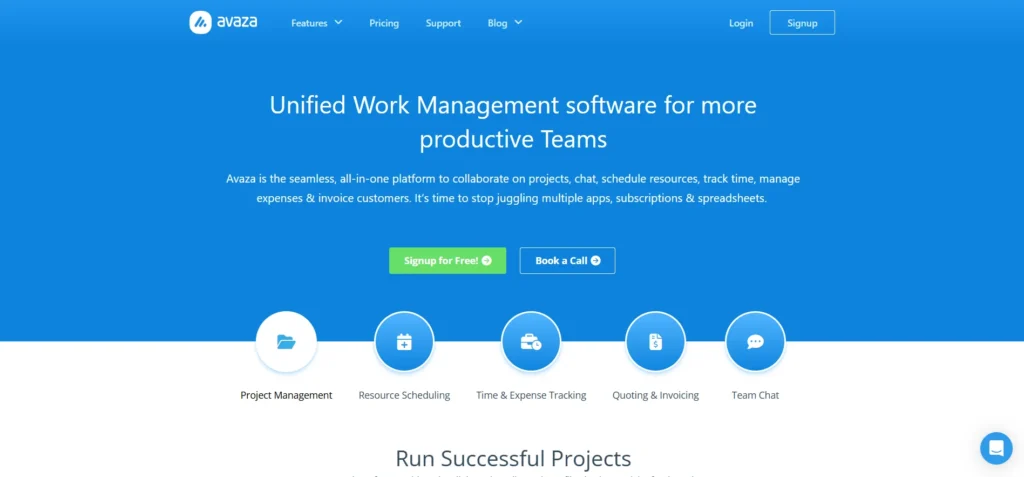
Avaza aims to solve this by consolidating your entire workflow into a single platform. It is a Professional Services Automation (PSA) tool that blends project management with resource scheduling, time tracking, and financial reporting. Instead of jumping between tabs, you manage the lifecycle of a client project from the initial quote to the final payment in one place.
In this Avaza review, we will cover features, pricing, pros, cons, and alternatives.
Quick Verdict — “Tiny Tool Take”
Avaza is a versatile all‑in‑one platform that combines project management, team collaboration, time tracking, and invoicing in a single solution. While it may not have the deep specialization of tools like Asana or QuickBooks, its integrated approach makes it a strong choice for small businesses and agencies seeking simplicity and efficiency.
Who this is for: Small to medium-sized professional services firms, agencies, and consultants who need integrated time tracking and invoicing.
Who it is NOT for: Large enterprises requiring deep, custom ERP integrations or teams that only need a simple, free to-do list.
Rating: 4.7/5 ⭐⭐⭐⭐⭐
Key Features
Integrated Project Management
Avaza provides a flexible environment to manage tasks using List, Kanban, or Gantt chart views. You can easily switch between views depending on whether you need a high-level timeline or a detailed board for daily sprints. This flexibility ensures that different team members can work in the way that suits them best while staying aligned on the same project data.
Resource Scheduling
One of the hardest parts of running an agency is knowing who is busy and who is available. Avaza’s scheduling module allows you to visualize team capacity and drag-and-drop assignments. It prevents over-allocation by showing real-time availability. This helps you plan future projects with confidence because you can see exactly when your lead designer or developer will be free.
Automated Time & Expense Tracking
Tracking billable hours is often the most hated task for employees, but Avaza simplifies it with built-in timers. You can start a timer on your desktop and stop it on your mobile app. Expenses work the same way; you can snap a photo of a receipt and link it directly to a project. This ensures that every billable minute and cent is accounted for before you generate an invoice.
Streamlined Invoicing & Payments
Since your time and expenses are already in the system, creating an invoice takes seconds rather than hours. You can pull all billable items into a professional template and send it to the client. Avaza supports online payments through integrations like Stripe and PayPal. This tight loop between work and payment significantly improves cash flow for small businesses.
Ease of Use
The dashboard is clean and modern, avoiding the cluttered “spreadsheet” look of older PSA tools. Most users find the interface intuitive because the navigation menu is logically organized by modules like Projects, Team, and Financials.
Setting up a new account is straightforward. Avaza guides you through importing clients and setting up your first project. The learning curve is mild for the core features, though mastering advanced reporting and resource scheduling may take a few days of consistent use.
Performance & Reliability
Avaza is a cloud-based platform that remains stable even when managing dozens of active projects simultaneously. The sync between the web interface and the mobile app is nearly instantaneous.
The mobile app is fully functional, allowing team members to log time and check task statuses on the go. While it lacks an offline mode, the loading speeds on 4G and 5G connections are snappy, ensuring you aren’t waiting for screens to refresh during a client meeting.
Pricing & Plans
| Plan | Price (Monthly) | Key Features |
| Free | $0 | 5 projects, 10 clients, 1 admin user |
| Startup | $11.95 | 20 projects, unlimited clients, 2 users |
| Basic | $23.95 | 50 projects, unlimited clients, 5 users |
| Business | $47.95 | Unlimited projects, 10 users, priority support |
Note: Additional users can be added to any paid plan for a per-user fee, making it easy to scale as your team grows.
Pros and Cons
✅ All-in-one functionality eliminates the need for multiple subscriptions.
✅ Excellent value for money compared to high-end enterprise PSA tools.
✅ Highly responsive customer support team.
✅ Seamless transition from time tracking to invoicing.
❌ The free plan is quite restrictive for growing teams.
❌ Lack of an offline mode for time tracking.
❌ Some reporting templates have limited customization options.
Customer Support
Avaza is well-known for its “human” approach to support. They offer live chat and email assistance that is remarkably fast. Most users report receiving helpful answers within minutes during business hours. They also maintain a comprehensive knowledge base with video tutorials that cover everything from basic setup to complex project accounting.
Top Alternatives
Teamwork
Teamwork is a strong competitor that focuses heavily on client collaboration. It offers more robust project templates and slightly better task automation but can feel more complex for users who just want simple time tracking and billing.
Scoro
Scoro is a premium alternative that offers even deeper business intelligence and CRM features. However, it comes with a much higher price tag and a steeper learning curve, making it better suited for larger agencies with bigger budgets.
Mavenlink (Kantata)
Mavenlink is an enterprise-grade solution built for very large professional services firms. It offers advanced resource forecasting and financial modeling but is often overkill for small to medium-sized consultancies.
Conclusion
Avaza stands out in 2026 as one of the most practical tools for consultants who want to spend less time on admin and more time on billable work. It successfully bridges the gap between simple project management and complex financial software. While it may lack some of the deep customization of enterprise tools, its ease of use and integrated approach make it a winner for small to medium firms.
If you are tired of manual invoicing and messy spreadsheets, Avaza is a reliable, affordable solution that grows with your business.
Frequently Asked Questions
Yes, Avaza offers a free-for-life plan that includes basic features for up to 5 projects. It is perfect for freelancers or very small teams testing the water.
Yes, Avaza has a dedicated mobile app for both iOS and Android that allows you to start timers, log expenses, and manage tasks.
Yes, Avaza integrates seamlessly with popular accounting tools like QuickBooks Online and Xero to keep your books in sync.
You can invite clients as collaborators. You have full control over what they can see, such as specific task boards or only their invoices.
Avaza uses industry-standard encryption and secure cloud hosting to ensure your business data and financial records remain private and protected.