

You have a brilliant idea for a new mobile app that could change the way people organize their day. You sit down to code, full of excitement, but then the reality of modern development hits you like a brick wall. Instead of building the features your users will love, you spend the next three days configuring database schemas, setting up authentication protocols, and wrestling with server permissions.
By the time you are ready to write your first line of frontend code, your initial spark of creativity has started to fade. This “backend fatigue” is a common hurdle that stops many great projects before they even start. Developers often feel forced to choose between complex manual setups or expensive proprietary platforms that lock their data away in a black box.
Appwrite was created to give that time back to the developer. It is an open-source Backend-as-a-Service (BaaS) that simplifies the entire development workflow into a set of easy-to-use APIs. It provides all the core tools you need—like databases, user auth, and file storage—without the headache of managing the underlying infrastructure.
In this Appwrite review, we will cover features, pricing, pros, cons, and alternatives.
Quick Verdict — “Tiny Tool Take”
Appwrite is a top-tier choice for developers who value open-source flexibility and want to avoid vendor lock-in.
Who this is for: It is perfect for building scalable web and mobile applications with a “backend-in-a-box” approach.
Who it is NOT for: It is not for people who prefer a strictly NoSQL managed service without any interest in understanding the underlying server logic.
Rating: 4.8/5 ⭐⭐⭐⭐⭐
Key Features
Robust Authentication and Security
The authentication system is often the most sensitive and difficult part of any application. Appwrite provides a comprehensive suite of auth tools that handle everything from simple email and password logins to complex OAuth providers like GitHub, Google, and Apple. It even supports “Magic URL” and “Phone” authentication out of the box.
This matters because you can implement secure user management in minutes rather than weeks. The platform handles the heavy lifting of encryption and session management, ensuring that your user data is safe from the start. It also includes built-in rate limiting and security audits to keep your application resilient against common attacks.
Flexible Database Management
Appwrite uses a document-oriented database approach that is both flexible and powerful. You can create collections, define attributes, and set complex permissions at the document level. This allows for granular control over who can read or write specific pieces of data within your app.
For developers, this means you can structure your data in a way that makes sense for your specific use case. The database also supports advanced querying and indexing, so your app remains fast as your user base grows. You can manage all of your data through the visual console or directly via the API.
Storage and Built-in Image Manipulation
Handling file uploads is another common pain point that Appwrite solves efficiently. The Storage service allows you to manage user files with integrated security and compression. You can store everything from profile pictures to large documents with ease.
One of the standout features is the built-in image manipulation tool. You can resize, crop, and change the format of images on the fly using simple URL parameters. This saves you from having to use third-party services like Cloudinary for basic image processing tasks.
Serverless Cloud Functions
When you need to run custom backend logic that goes beyond simple database operations, Appwrite’s Functions come into play. These are serverless snippets of code that can be triggered by specific events within your Appwrite instance. You can write these functions in multiple languages, including Node.js, Python, Ruby, and PHP.
This matters because it allows you to extend the platform’s capabilities to fit your unique needs. Whether you need to send a welcome email, process a payment via Stripe, or generate a PDF report, Cloud Functions provide the bridge. They run in isolated environments, ensuring that your main backend remains stable and secure.
Realtime Capabilities
In today’s world, users expect apps to react instantly. Appwrite’s Realtime service allows you to subscribe to any event in your backend and receive instant updates on the frontend. If a user sends a message or a database record is updated, the change is reflected immediately without a page refresh.
This feature is essential for building chat applications, collaborative tools, or live dashboards. It uses WebSockets to maintain a persistent connection, making it much more efficient than traditional polling. implementing these “live” features usually requires complex socket management, but Appwrite makes it a simple API call.
Ease of Use
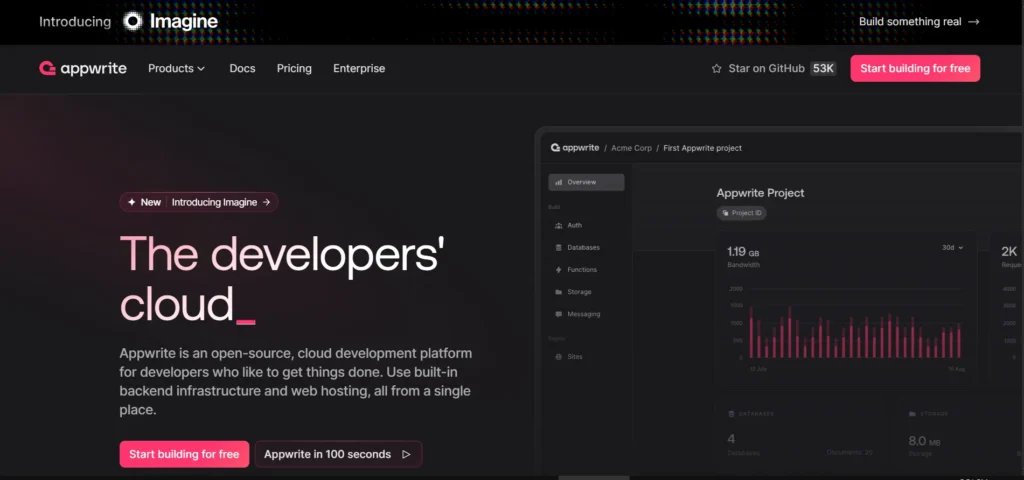
The Appwrite console is widely praised for its clean and intuitive design. It provides a visual overview of your entire project, from user counts to database usage. Each section is clearly labeled, and the documentation is integrated directly into the interface where possible.
For those who prefer the command line, the Appwrite CLI is exceptionally robust. It allows you to initialize projects, deploy functions, and manage your backend directly from your terminal. This fits perfectly into modern DevOps workflows and makes local development feel seamless.
The setup process depends on whether you choose the Cloud version or the self-hosted version. The Cloud version is a simple “click and go” experience. The self-hosted version requires Docker knowledge, but it can be installed with a single command on almost any server. The learning curve is moderate but very rewarding for developers who understand basic API logic.
Performance & Reliability
Performance is a core focus for the Appwrite team. Because the platform is built on top of Docker and microservices, it is highly efficient and can be scaled horizontally. Even under heavy loads, the response times for API calls remain consistently fast.
Stability is another area where Appwrite excels. The project has a massive community of contributors who constantly test and refine the code. Whether you are running it on a small digital ocean droplet or the Appwrite Cloud, the system is designed to handle errors gracefully without crashing your entire app.
The output quality of the SDKs is also very high. They provide official libraries for Web, Flutter, Android, iOS, and various backend languages. These SDKs are well-maintained and follow consistent patterns, which makes switching between different platforms much easier for full-stack developers.
Pricing & Plans
| Plan | Best For | Price | Key Features |
| Self-Hosted | Privacy Enthusiasts | Free | Unlimited projects, full control, community support. |
| Cloud (Starter) | Indie Hackers | $0 | 3 projects, 750GB bandwidth, basic support. |
| Cloud (Pro) | Professional Teams | $15/mo | Unlimited projects, 3.5TB bandwidth, priority support. |
The self-hosted version is the soul of Appwrite. It allows you to run the entire stack on your own hardware for free. For those who want the power of Appwrite without managing servers, the Cloud Pro plan offers the best value for growing startups.
Pros and Cons
✅ Open-source philosophy means you truly own your data and backend logic.
✅ Can be self-hosted on your own infrastructure to avoid high cloud costs.
✅ Multi-platform SDK support makes it perfect for cross-platform development.
✅ Built-in image manipulation and compression save time and money.
✅ Active Discord community and clear documentation for troubleshooting.
❌ Self-hosting requires some basic knowledge of Docker and server management.
❌ The library of pre-made “extensions” is currently smaller than Firebase.
❌ Does not offer a built-in “NoSQL to SQL” migration tool for complex data moves.
❌ Certain advanced analytics features are still in the early stages of development.
Customer Support
Support for Appwrite is largely centered around its vibrant community. Their Discord server is one of the most active in the developer space, with thousands of members ready to help. The core engineering team is also frequently seen answering questions and helping users debug their code.
For users on the Cloud Pro plan, more formal support channels are available. This includes priority email support and faster response times for technical issues. The documentation is also a major support pillar, featuring “getting started” guides and detailed API references for every feature.
The team is also very transparent about their roadmap. You can track bugs and feature requests directly on GitHub. This open-book approach builds trust and ensures that the platform is constantly evolving based on actual developer feedback.
Top Alternatives
Firebase
Firebase is the industry giant backed by Google. It offers a massive range of features and deep integration with the Google Cloud ecosystem. However, it is proprietary and can become extremely expensive as you scale. It is better for those who want a “managed at all costs” experience and do not mind vendor lock-in.
Supabase
Supabase is the “Open Source Firebase Alternative” that focuses heavily on PostgreSQL. It is an excellent choice if you specifically need a relational database and want to use SQL. While similar to Appwrite, Supabase is better for developers who prefer the power of Postgres over a document-oriented database.
Pocketbase
Pocketbase is a newer, lightweight alternative that consists of a single file. It is incredibly fast to set up and perfect for small projects or internal tools. However, it lacks the multi-service architecture and advanced scaling capabilities that make Appwrite suitable for large enterprise applications.
Conclusion
Is Appwrite good for your next project? If you are a developer who wants to move fast without losing control of your infrastructure, the answer is a clear yes. It provides a modern, clean, and powerful backend that feels like it was built by developers, for developers.
The platform successfully bridges the gap between ease of use and professional-grade power. By handling the “boring” parts of the backend, Appwrite lets you focus on the creative aspects of your application. It is an investment in your own productivity and the long-term flexibility of your software.
In 2026, the demand for open-source alternatives to big-tech platforms is higher than ever. Appwrite is leading the charge in the BaaS space. Whether you are an indie hacker or part of a large engineering team, Appwrite provides the tools you need to build something amazing.
Frequently Asked Questions
Appwrite is a better choice if you want to avoid vendor lock-in and prefer an open-source solution. Firebase offers more “hands-off” managed services but can be more expensive and harder to migrate away from later.
Yes, Appwrite is designed to be easily self-hosted using Docker. This gives you full control over your data and allows you to run the platform on any cloud provider or even on your own local hardware.
Appwrite is document-oriented, but you can create relationships between documents using IDs and permissions. While it is not a traditional SQL database, it is flexible enough to handle most complex data structures.
Appwrite supports a wide variety of runtimes, including Node.js, Python, PHP, Ruby, Go, and even Deno. This allows you to write backend logic in the language you are most comfortable with.
Yes, Appwrite Cloud follows strict security protocols, including data encryption at rest and in transit. It also includes built-in protection against DDoS attacks and provides tools for auditing user activity within your projects.