

You just returned home from a ten-hour wedding shoot. Your memory cards are full of over 5,000 raw images. You know that at least half of those shots are duplicates, blurry, or captured someone with their eyes closed.
Now, the real work begins. You face days of sitting in a dark room, staring at a screen, and pressing the “right arrow” key repeatedly. This process, known as culling, is often the most hated part of professional photography. It drains your energy and delays your delivery to the client.
Aftershoot was built to solve this specific bottleneck using artificial intelligence. It is a desktop application designed to act as your virtual assistant. It promises to cull and even edit your photos in a fraction of the time it would take a human.
By automating the repetitive parts of the workflow, it allows you to get back behind the camera. It targets high-volume professionals who need to maintain a consistent style while increasing their output. The software handles the heavy lifting of sorting and basic editing so you can focus on the creative final touches.
In this Aftershoot review, we will cover features, pricing, pros, cons, and alternatives.
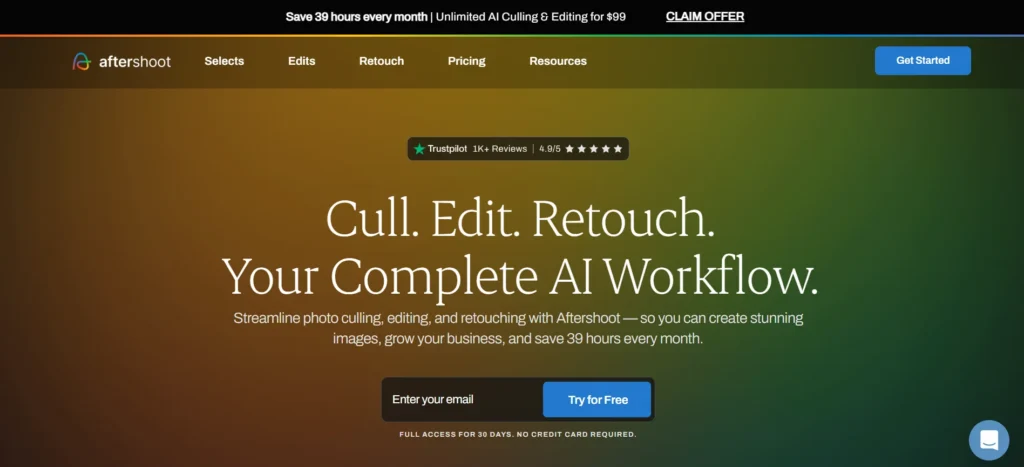
Quick Verdict — “Tiny Tool Take”
Aftershoot is a transformative utility for wedding and event photographers who handle thousands of images per week. It is a high-performance solution that offers unlimited culling and editing without the need for cloud uploads.
Who this is for: High-volume wedding, event, and portrait photographers.
Who it is NOT for: Casual hobbyists who only take a few dozen photos a month or those who prefer total manual control over every single frame.
Rating: 4.8/5 ⭐⭐⭐⭐⭐
Key Features
AI-Powered Culling
The culling engine is the foundation of the Aftershoot experience. It uses advanced computer vision to analyze every image in a folder. The AI identifies blur, closed eyes, and poor composition with remarkable speed.
It groups similar photos together into “sets.” You can tell the AI to pick the best shot from each set based on your preferences. This feature matters because it turns a five-hour culling session into a five-minute review. You still have the final say, but the AI handles the initial sorting.
Personal AI Editing Profiles
Aftershoot does more than just sort; it learns how you edit. By analyzing your previously edited Lightroom or Capture One catalogs, the software creates a “Personal AI Profile.” This profile mimics your specific style, including exposure, white balance, and contrast.
This is a essential feature for maintaining brand consistency. You do not have to rely on generic presets that might not fit your lighting. Instead, the AI applies your “look” to thousands of images instantly. It effectively clones your editing brain to handle the bulk of the work.
Local Processing and Privacy
Unlike many modern AI tools, Aftershoot does not require you to upload your raw files to the cloud. All the processing happens locally on your computer’s hardware. This means your high-resolution files never leave your hard drive during the culling or editing phase.
This matters for two reasons: speed and privacy. You do not need to wait for massive raw files to upload to a server. Furthermore, you maintain total control over your clients’ data. This is a significant advantage for photographers working in areas with slow internet or strict privacy requirements.
Automated Cropping and Straightening
Correcting the horizon and cropping images is a tedious but necessary task. Aftershoot includes automated tools that detect the subject and the horizon line. It can automatically straighten tilted shots and apply consistent crops based on your chosen aspect ratio.
This feature saves a massive amount of time during the editing phase. When you open your catalog after an Aftershoot run, the images are already sorted, edited, and properly framed. It removes the need for hundreds of small manual adjustments, allowing you to focus on high-level retouching.
Integration with Professional Workflows
Aftershoot is designed to fit into existing ecosystems. It integrates seamlessly with Adobe Lightroom Classic and Capture One. Once the AI finishes its work, you simply import the data back into your preferred editing software.
This matters because it does not force you to change your entire business model. You keep your favorite tools and just use Aftershoot to speed up the beginning of the process. It acts as a bridge between the raw camera dump and the finished, polished gallery.
Ease of Use
The dashboard of Aftershoot is clean and uses a step-by-step wizard format. When you first open the app, it guides you through selecting your folders and setting your culling parameters. There is no complex technical jargon to slow you down.
The setup process involves downloading the desktop application and granting it access to your folders. To use the AI Editing feature, you will need to “train” your AI. This is done by selecting one or two of your best-edited catalogs from the past. The AI reads your metadata and learns your patterns in about thirty minutes.
The learning curve is surprisingly flat for such a powerful tool. The interface uses clear icons and simple sliders to adjust how “strict” the AI should be during culling. For example, you can tell it to be very aggressive with closed eyes or more lenient with slight motion blur. Most photographers are comfortable with the workflow after just one session.
Performance & Reliability
Speed is the primary performance metric for Aftershoot. On a modern machine, the AI can cull 1,000 raw images in roughly one minute. This is significantly faster than any human could ever hope to move. The editing speed is equally impressive, applying adjustments to thousands of shots in a few minutes.
The quality of the AI culling is remarkably high. It is very good at identifying “micro-expressions” and avoiding shots where the subject is mid-blink. While it might occasionally miss a creative choice, the “grouping” feature ensures you can still find that specific shot if you need it.
Stability is a major focus for the developers. The software is optimized for both Windows and macOS, including native support for Apple Silicon. We found that the app handles large folders of 45-megapixel raw files without crashing or lagging. Since it works offline, you never have to worry about a dropped connection ruining your progress.
Pricing & Plans
Aftershoot uses a subscription model that offers flat-rate pricing. This is a major advantage because you can process an unlimited number of images without paying per photo. They offer separate plans for culling and editing, as well as a bundle.
| Plan | Best For | Included Features |
| Cull | Sorting and Selection | Unlimited AI culling, Duplicate detection |
| Edit | Style Automation | Unlimited AI editing, Personal AI profiles |
| Max (Bundle) | Full Workflow | Both Cull and Edit features, Priority support |
The best value plan is the Max bundle if you are a full-time professional. Is Aftershoot good value? If you value your time at $50 per hour, the software pays for itself if it saves you just a few hours a month. For a busy wedding photographer, the return on investment is immediate.
Pros and Cons
✅ Extreme speed that can cull thousands of images in minutes.
✅ No cloud uploads required, ensuring speed and data privacy.
✅ Flat-rate pricing allows for unlimited images without extra costs.
✅ AI learns your specific editing style rather than using generic presets.
✅ Works entirely offline, making it perfect for traveling photographers.
❌ Monthly subscription cost can be high for part-time hobbyists.
❌ AI Training requires a backlog of previously edited catalogs.
❌ Initial setup and training take some time to get perfect.
❌ Local processing requires a relatively modern computer for best speed.
Customer Support
Aftershoot provides support through an active community, email, and a detailed knowledge base. Their help center is filled with video tutorials that walk you through the setup and training phases. They also have a very active Facebook group where users and developers interact daily.
Response times for email inquiries are generally within one business day. They are known for being very responsive to feedback and frequently release updates based on user requests. For Max plan users, the support is even faster, ensuring that your workflow is never interrupted during peak season.
Top Alternatives
Photoshop
Adobe Photoshop remains the industry standard for deep retouching. While it now has some AI features, it does not offer the same batch-culling speed as Aftershoot. Use Photoshop for your “hero” shots, but use Aftershoot to get through the bulk of the session.
PortraitPro
PortraitPro is a specialized retouching tool that focuses on facial features. It is excellent for smoothing skin and enhancing eyes. However, it is not a culling tool and does not handle the initial sorting of a wedding gallery. It is a good companion to Aftershoot rather than a direct replacement.
Luminar Neo
Luminar Neo is a creative photo editor with many AI extensions. It is great for sky replacements and artistic effects. While it has some automated tools, it lacks the specialized “Personal AI Profile” learning that makes Aftershoot so efficient for high-volume professionals.
Conclusion
Is Aftershoot good for your photography business? After an extensive Aftershoot review, the answer is a resounding yes for anyone handling high-volume work. It is not just a tool; it is a way to buy back your time and sanity.
The software succeeds because it targets the most draining parts of the photographic process. By removing the drudgery of culling and basic editing, it allows you to stay creative. It transforms the post-production phase from a multi-day ordeal into a manageable morning task.
While the price point is aimed at professionals, the time savings are undeniable. For a busy studio, the ability to deliver galleries to clients days or weeks earlier is a massive competitive advantage. Aftershoot is a reliable, high-speed, and private solution for the modern photographer in 2026.
Frequently Asked Questions
Yes, Aftershoot works with both RAW and JPEG files. While most professionals use it for RAW catalogs, it is equally fast and effective for sorting and editing high-resolution JPEGs.
Yes. Once you have installed the software and activated your license, Aftershoot works entirely offline. All AI processing happens on your local machine, so no internet is required for culling or editing.
With a standard subscription, you can edit and cull an unlimited number of images. There are no “pay-per-photo” fees, which makes it very predictable for your business expenses.
No, Aftershoot is designed to work alongside Lightroom. You use Aftershoot for the initial culling and basic editing, then you move the results into Lightroom for the final creative touches and exporting.
Yes, Aftershoot is a local-first application. Your photos are never uploaded to their servers. This ensures maximum privacy for you and your clients, as the files stay on your hardware at all times.